

AI laptops are no longer limited to expensive premium machines. In India, the sub Rs.80,000 segment now includes laptops with dedicated NPUs, Copilot+ PC support, Snapdragon X processors, AMD Ryzen AI chips, Intel Core Ultra processors, fast LPDDR5X memory and high resolution displays.
But there is an important problem with the way AI laptops are marketed.
A laptop can have an NPU and still not qualify as a Copilot+ PC. A processor can advertise a high TOPS number but deliver a very different experience from another chip because NPU architecture, CPU performance, memory bandwidth, software support and the workload itself all matter.
For this article, we have therefore looked beyond the words “AI laptop”. The best AI laptops under Rs.80000 should offer useful AI hardware without sacrificing normal computing performance, battery efficiency, display quality, memory and software compatibility.
As of 17 September 2026, several strong options are available below Rs.80,000, including ASUS Vivobook Snapdragon X models, Dell Ryzen AI laptops, Lenovo Ryzen AI models, Acer Core Ultra systems and newer AMD Ryzen AI configurations.
Price note: Indian laptop prices change frequently. Prices quoted here are current market references from September 2026 and can vary by retailer, seller, bank offer and exact SKU.
Best AI Laptops Under Rs.80,000 at a Glance
| Rank | Laptop | Processor | NPU | RAM | Storage | Display | AI Class | Price |
| 1 | ASUS Vivobook S14 S3407QA | Snapdragon X X1 26 100 | 45 TOPS | 16GB LPDDR5X | 512GB | 2.5K IPS, 16:10 | Copilot+ PC | Rs.65,990 |
| 2 | Dell 14 Plus ODB1425550701RINU1 | Ryzen AI 5 340 | 50 TOPS | 16GB LPDDR5X | 512GB | FHD+ IPS | Copilot+ PC | Rs.69,990 |
| 3 | ASUS Vivobook S16 S3607QA | Snapdragon X X1 26 100 | 45 TOPS | 16GB LPDDR5X | 512GB | FHD+ OLED | Copilot+ PC | Rs.72,990 |
| 4 | ASUS Vivobook 16 X1607QA | Snapdragon X X1 26 100 | 45 TOPS | 16GB LPDDR5X | 512GB | FHD+ IPS | Copilot+ PC | Rs.69,500 |
| 5 | HP OmniBook 3 15 | Ryzen AI 5 340 | 50 TOPS | 16GB | 512GB | FHD IPS | Copilot+ capable | Rs.62,990 |
| 6 | ASUS Vivobook 16 M1607 | Ryzen AI 7 350 | 50 TOPS | 16GB | 512GB | 16 inch | Copilot+ capable | Rs.75,990* |
| 7 | Lenovo IdeaPad Slim 5 14AKP10 | Ryzen AI 5 330 | 50 TOPS | 16GB DDR5 | 512GB | 1920 × 1200 | Copilot+ capable | Rs.75,990* |
| 8 | Acer Swift Lite 14 | Core Ultra 5 115U | 11 TOPS | 16GB LPDDR5 | 512GB | OLED 1920 × 1200 | AI PC | Rs.62,999 |
| 9 | Acer Swift Neo OLED AI PC | Core Ultra 5 115U | 11 TOPS | 16GB LPDDR5 | 512GB | OLED 1920 × 1200 | AI PC | Rs.72,999 |
| 10 | Acer Aspire Go 14 | Core Ultra 5 125H | 11 TOPS | 16GB DDR5 | 512GB | WUXGA IPS | AI PC | Rs.59,999 |
| 11 | ASUS Vivobook 14 X1407QA | Snapdragon X X1 26 100 | 45 TOPS | 16GB LPDDR5X | 512GB | FHD+ IPS | Copilot+ PC | Rs.71,011 |
| 12 | ASUS Vivobook 14 X1407CA | Core Ultra 5 225H | 13 TOPS | 16GB DDR5 | 512GB | 1920 × 1200 | AI PC | Rs.74,990 |
*Current listing can be out of stock or vary by seller. The Lenovo Ryzen AI model is currently shown as out of stock on Smartprix, while the ASUS Ryzen AI 7 model also has availability differences by configuration.
Current price references come from September 2026 listings across 91mobiles, Smartprix, MySmartPrice, ASUS, Dell, Acer and other Indian retail sources.
Best Overall AI Laptop under Rs.80,000 in India
Our Top Pick: ASUS Vivobook S14 S3407QA
Our score: 90/100
The ASUS Vivobook S14 S3407QA is one of the most balanced Copilot+ laptops available around Rs.66,000.
The exact S3407QA KP020WS configuration uses Qualcomm’s Snapdragon X X1 26 100, 16GB LPDDR5X memory and a 512GB PCIe 4.0 SSD. Its 14 inch display runs at 2560 × 1600 resolution, uses a 16:10 aspect ratio and offers 100% sRGB coverage. ASUS also lists a 70Wh battery and a 1.35kg weight for the referenced configuration.
The Snapdragon X X1 26 100 has 8 CPU cores, 30MB cache and up to 2.97GHz, while its Qualcomm Hexagon NPU delivers up to 45 TOPS. Qualcomm lists LPDDR5X memory support with bandwidth up to 135GB/s for this processor class.
Key specifications
Processor: Snapdragon X X1 26 100
CPU: 8 cores, 8 threads
Maximum clock: Up to 2.97GHz
Cache: 30MB
NPU: Up to 45 TOPS
GPU: Qualcomm Adreno
RAM: 16GB LPDDR5X
SSD: 512GB PCIe 4.0
Display: 14 inch 2560 × 1600 IPS level
Aspect ratio: 16:10
Colour coverage: 100% sRGB
Battery: 70Wh
Weight: 1.35kg
Wireless: Wi Fi 6E
USB: 2 × USB 4 Type C + 2 × USB Type A
HDMI: HDMI 2.1
Camera: FHD IR with Windows Hello
Operating system: Windows 11 Home
Why it ranks first
It does not try to win by having the largest CPU.
It wins on balance.
You get:
45 TOPS NPU
16GB LPDDR5X
2.5K display
100% sRGB
70Wh battery
USB 4 connectivity
1.35kg weight
That is a very attractive package for students, professionals, writers, developers and frequent travellers.
Important limitation
Snapdragon X is an ARM platform.
Windows 11 supports x86 and x64 applications through Microsoft’s Prism emulation layer, but native Arm software can deliver the strongest experience. Specialist software, older drivers and some development tools should be checked before purchase.
Best for
Students, professionals, office work, coding, browsing, meetings and travel.
2. Dell 14 Plus: Best AMD Ryzen AI Laptop Under Rs.80,000
Our score: 89/100
The Dell 14 Plus ODB1425550701RINU1 is the AMD alternative to the Snapdragon based ASUS models.
The current Indian listing puts the machine around Rs.69,990, with Ryzen AI 5 340, 16GB LPDDR5X and 512GB SSD.
Dell’s official specification lists the Ryzen AI 5 340 with 6 cores, 12 threads, up to 4.8GHz, 21W power, Radeon 840M graphics and Copilot+ PC support. The processor includes an NPU rated up to 50 TOPS.
AMD lists the Ryzen AI 5 340 at up to 59 overall TOPS, including up to 50 NPU TOPS.
Key specifications
Processor: AMD Ryzen AI 5 340
CPU: 6 cores, 12 threads
Maximum boost: 4.8GHz
Processor power: 21W
NPU: Up to 50 TOPS
Overall AI: Up to 59 TOPS
GPU: Radeon 840M
RAM: 16GB LPDDR5X 7500 MT/s
Storage: 512GB PCIe Gen4 NVMe
Display: 14 inch, 1920 × 1200
Battery: Configuration dependent
OS: Windows 11 Home or Pro Copilot+ PC options
Display choices are important
Dell lists multiple display configurations for the platform.
One option is a 1920 × 1200 60Hz panel at 300 nits and 45% NTSC.
Another option is a 2560 × 1600 90Hz panel rated for 100% sRGB and Dolby Vision.
That creates a critical SKU warning.
Do not assume every Dell 14 Plus has the same screen.
Why it is attractive
The Ryzen AI 5 340 gives you a stronger NPU specification than the Snapdragon X X1 26 100, while maintaining a traditional Windows laptop environment based on AMD’s x86 architecture.
For developers and professionals who want AI hardware without moving to ARM, this is a particularly interesting choice.
Best for Professionals, developers, office users and buyers who prefer AMD’s x86 Windows platform.
3. ASUS Vivobook S16: Best OLED AI Laptop Under Rs.80,000
Our score: 88/100
The ASUS Vivobook S16 S3607QA is one of the most attractive AI laptops for users who care about the display as much as the processor.
The current Indian price is approximately Rs.72,990 for the 16GB and 512GB configuration.
The laptop uses the Snapdragon X X1 26 100 with a 45 TOPS Hexagon NPU. The referenced configuration has a 16 inch 1920 × 1200 OLED display, 60Hz refresh rate, 300 nits brightness, 16GB LPDDR5X memory and a 70Wh battery.
Key specifications
Processor: Snapdragon X X1 26 100
CPU: 8 cores, 8 threads
NPU: 45 TOPS
GPU: Qualcomm Adreno
RAM: 16GB LPDDR5X
SSD: 512GB PCIe 4.0
Display: 16 inch OLED
Resolution: 1920 × 1200
Aspect ratio: 16:10
Refresh rate: 60Hz
Response time: 0.2ms
Brightness: 300 nits
Battery: 70Wh
Weight: 1.74kg
Wi Fi: Wi Fi 6E
Camera: FHD with privacy shutter
USB: 2 × USB 4 + 2 × USB Type A
HDMI: HDMI 2.1
OLED advantage
OLED gives you deep blacks, strong contrast and a different visual experience from conventional IPS displays.
This makes the Vivobook S16 particularly attractive for:
movies
photo viewing
creative work
general productivity
The display is larger than the S14, but the machine remains relatively slim.
Battery note
ASUS and Indian retailer listings quote battery endurance figures that can vary significantly by test method and workload. Treat any manufacturer battery figure as a laboratory result rather than a guarantee for everyday use.
Best for Students, professionals, content consumers and users who want an OLED screen with Copilot+ capability.
4. ASUS Vivobook 16 X1607QA: Best Large Screen Copilot+ Laptop
Our score: 87/100
The ASUS Vivobook 16 X1607QA is designed for users who want a large screen and Snapdragon X efficiency without moving into premium pricing.
ASUS currently lists a starting price of Rs.61,990, while the current X1607QA MB050WS retail listing is around Rs.69,500.
The machine uses Snapdragon X X1 26 100, 16GB LPDDR5X memory and a 512GB SSD. The 16 inch display has a 1920 × 1200 resolution and 16:10 aspect ratio.
Key specifications
CPU: Snapdragon X X1 26 100
Cores: 8
Threads: 8
Clock: Up to 2.97GHz
Cache: 30MB
NPU: Up to 45 TOPS
GPU: Qualcomm Adreno X1 class graphics
RAM: 16GB LPDDR5X
Storage: 512GB PCIe 4.0 SSD
Display: 16 inch 1920 × 1200
Aspect ratio: 16:10
Camera: FHD IR
Wireless: Wi Fi 6E
OS: Windows 11 Home
Why buy this instead of the S14?
The answer is screen size.
The 16 inch display is more comfortable for:
spreadsheets
documents
research
coding
remote work
multi window workflows
The S14 remains more portable.
Best for Home office, spreadsheets, research, students and users who prefer large screens.
5. HP OmniBook 3 15: Ryzen AI at a Lower Price
Our score: 84/100
The HP OmniBook 3 15 fn0007AU is an interesting value option because it brings an AMD Ryzen AI processor into a mainstream 15.6 inch chassis.
Digit currently lists it at Rs.62,990 with a Ryzen AI 5 340, 16GB RAM and 512GB SSD.
Key specifications
Processor: Ryzen AI 5 340
CPU: 6 cores, 12 threads
Maximum clock: Up to 4.8GHz
NPU: Up to 50 TOPS
GPU: AMD Radeon
RAM: 16GB
Storage: 512GB SSD
Display: 15.6 inch 1920 × 1080 IPS
Refresh rate: 60Hz
Wireless: Wi Fi 6
Bluetooth: 5.4
Camera: 1080p FHD
Weight: 1.7kg
Operating system: Windows 11 Home
Adapter: 65W
Why it is interesting
The Ryzen AI 5 340 provides substantially more NPU capability than older Core Ultra 100 series chips.
The machine also has a traditional Windows architecture, making it easier to fit into many standard PC workflows.
The display limitation
The Full HD 60Hz panel is practical but not particularly impressive compared with the 2.5K screen on the ASUS Vivobook S14 or OLED panel on the S16.
Best for Office users and students who want Ryzen AI hardware at a lower price.
6. ASUS Vivobook 16 M1607: Ryzen AI 7 Performance Option
Our score: 86/100
The ASUS Vivobook 16 M1607 is available with AMD Ryzen AI processors including the Ryzen AI 7 350, depending on configuration.
ASUS lists the M1607 family from Rs.72,990, while MySmartPrice currently lists a Ryzen AI 7 350 configuration around Rs.75,990. Some configurations are out of stock, so the exact SKU needs checking before publication.
The Ryzen AI 7 350 has:
8 cores
16 threads
up to 5.0GHz
50 TOPS NPU
Radeon 860M graphics. AMD reports up to 66 overall TOPS for the processor.
Why this processor matters
The Ryzen AI 7 350 is significantly different from the smaller Ryzen AI 5 330.
Its extra CPU resources make it more attractive for:
heavy multitasking
development environments
large spreadsheets
content creation
virtual machines
AI assisted productivity
Important price warning
Some current listings show the Ryzen AI 7 version as out of stock. Do not present Rs.75,990 as a guaranteed purchase price unless the exact configuration is available when the article is published.
Best for Power users who want Ryzen AI 7 performance in a large screen laptop.
7. Lenovo IdeaPad Slim 5 14AKP10: Ryzen AI 5 330 Option
The Lenovo IdeaPad Slim 5 14AKP10 is another genuine AMD Ryzen AI platform.
The exact 83HX008XIN configuration uses a Ryzen AI 5 330, 16GB DDR5 RAM, 512GB SSD and Radeon 820M graphics. Smartprix currently shows prices around Rs.63,846 to Rs.75,990, but the exact product is marked out of stock.
AMD’s Ryzen AI 5 330 includes:
4 CPU cores
8 threads
up to 4.5GHz
Radeon 820M graphics
up to 50 TOPS NPU performance
up to 56 overall TOPS.
Why the platform is interesting
The NPU is powerful enough for Copilot+ class workloads, while the processor remains focused on efficiency.
The IdeaPad Slim 5 is only around 1.47kg in the referenced listing, making it much easier to carry than many performance focused 15 or 16 inch laptops.
Main limitation
Four CPU cores and eight threads make this a different proposition from Ryzen AI 5 340 and Ryzen AI 7 350.
The NPU specification is not the whole story.
This is an excellent example of why:
50 TOPS does not mean every 50 TOPS laptop performs the same.
Best for Students, everyday productivity and portable AI capable computing.
8. Acer Swift Lite 14: Best OLED AI Laptop at the Lower Price Point
Our score: 82/100
The Acer Swift Lite 14 SFL14 54M is one of the most affordable OLED based AI PC options currently visible in India.
The current price is around Rs.62,999, with Core Ultra 5 115U, 16GB LPDDR5 and 512GB SSD.
The OLED panel is 1920 × 1200, while the system is built around an 8 core Core Ultra 5 115U platform.
The important NPU detail
Intel rates the Core Ultra 5 115U’s NPU at 11 TOPS. Its integrated graphics peak at 7 TOPS.
That means this is an AI PC, but it is not a Copilot+ PC under Microsoft’s 40+ TOPS NPU requirement.
This distinction is very important for anyone shopping specifically for AI features.
Best for OLED display buyers, office users, students and general productivity.
9. Acer Swift Neo OLED AI PC
Our score: 83/100
The Acer Swift Neo OLED AI PC SFN14 54H is another Core Ultra based machine with a strong display.
The current listing shows:
Core Ultra 5 115U
16GB LPDDR5
512GB SSD
14 inch 1920 × 1200 OLED
at around Rs.72,999. Acer and 91mobiles currently list the same family around this price.
The Core Ultra 5 115U includes an 11 TOPS NPU, so again this is an AI capable laptop rather than a Copilot+ machine.
Why it remains relevant
The appeal is the combination of:
OLED
16GB memory
low weight
Core Ultra platform
AI acceleration
The problem is price.
At around Rs.73,000, buyers should compare it carefully against true Copilot+ models such as Snapdragon X and Ryzen AI machines.
Best for Display first users who also want basic NPU acceleration.
10. Acer Aspire Go 14: Best Low Cost Core Ultra AI PC
Our score: 81/100
The Acer Aspire Go 14 AG14 71M is an interesting value option because Acer’s official store currently lists the exact Core Ultra 5 125H, 16GB and 512GB configuration at Rs.59,999.
The same official configuration supports up to 32GB RAM using two SODIMM modules. Acer also lists the SSD as upgradeable up to 1TB.
Key specifications
Processor: Intel Core Ultra 5 125H
CPU: 14 cores, 18 threads
Maximum turbo: 4.5GHz
NPU: 11 TOPS
Integrated GPU: Intel Arc graphics
RAM: 16GB DDR5
Maximum RAM: 32GB
Storage: 512GB PCIe NVMe
Display: 14 inch 1920 × 1200 IPS
Aspect ratio: 16:10
Colour: 45% NTSC
Weight: Around 1.5kg
Battery: 55Wh
Charging: 65W USB Type C
The major advantage
The Core Ultra 5 125H is considerably more powerful as a traditional CPU platform than the Core Ultra 5 115U.
Intel specifies:
14 cores
18 threads
4.5GHz maximum turbo
18MB cache
33 overall peak TOPS
11 TOPS NPU
and an integrated Arc GPU with up to 18 GPU TOPS.
Again, it is not a Copilot+ PC because the dedicated NPU is only 11 TOPS.
Best for Students, coding, office work and users who want a powerful Intel platform at a lower price.
11. ASUS Vivobook 14 X1407QA: Compact Copilot+ PC
The ASUS Vivobook 14 X1407QA is another Snapdragon X option.
ASUS currently lists the X1407QA family from Rs.60,990, while the specific X1407QA LY038WS configuration is around Rs.71,011 through current Indian retail listings.
The machine uses Snapdragon X X1 26 100, 16GB LPDDR5X and 512GB PCIe 4.0 storage.
Its 14 inch 16:10 display runs at 1920 × 1200 and the platform supports Copilot+ functionality through its 45 TOPS NPU.
Best for Portable productivity and users who want a smaller Copilot+ PC.
12. ASUS Vivobook 14 X1407CA: Core Ultra 5 225H AI PC
The ASUS Vivobook 14 X1407CA LY160WS is another interesting AI laptop around Rs.75,000.
Smartprix currently lists the configuration at Rs.74,990, with:
Core Ultra 5 225H
16GB DDR5
512GB SSD
Intel integrated Arc graphics
14 inch 1920 × 1200 display.
Intel’s 2025 Core Ultra 200H family uses 14 cores on the Core Ultra 5 225H and a 13 TOPS NPU.
This means the laptop is AI capable, but it does not reach the 40 TOPS NPU requirement for Copilot+ PC features.
Best for Traditional Windows users who want a newer Intel platform with AI hardware.
What is an AI Laptop?
An AI laptop is a laptop designed with hardware that can accelerate artificial intelligence workloads.
The most important component is the NPU, or Neural Processing Unit.
A conventional laptop mainly relies on:
CPU
and sometimes:
GPU
for computing workloads.
An AI laptop adds:
NPU
to the system.
The NPU is designed specifically for certain neural network workloads and can perform these tasks efficiently without placing every AI workload on the CPU or GPU.
What is an NPU?
NPU stands for Neural Processing Unit.
It is specialised hardware designed for AI and machine learning operations.
On a modern laptop, AI tasks can be distributed between:
CPU
Best for general purpose computing and many traditional applications.
GPU
Best for highly parallel compute, graphics and demanding AI workloads.
NPU
Designed for efficient AI inference, particularly workloads that benefit from low power local processing.
This division is important.
An NPU is not a replacement for a powerful GPU.
A 50 TOPS NPU does not mean the laptop can replace an RTX GPU for local AI model training or GPU heavy creative applications.
What Does TOPS Mean?
TOPS means Trillions of Operations Per Second.
It is a common way of describing AI processing capability.
For example:
Snapdragon X: up to 45 NPU TOPS
Ryzen AI 5 340: up to 50 NPU TOPS
Ryzen AI 7 350: up to 50 NPU TOPS
Core Ultra 5 125H: 11 NPU TOPS
Core Ultra 5 115U: 11 NPU TOPS.
But there is a major warning:
TOPS is not a universal performance score.
Do not assume that:
50 TOPS = exactly twice the real AI performance of 25 TOPS.
Different architectures use different designs, precision formats, software stacks and workload optimisations.
TOPS is useful as a hardware capability indicator.
It is not a complete benchmark.
AI PC vs Copilot+ PC
This distinction should be one of the first things you check.
AI PC
A laptop with dedicated AI acceleration hardware such as an NPU.
It does not necessarily meet Microsoft’s Copilot+ hardware requirements.
The Acer Swift Lite 14 with Core Ultra 5 115U is a good example. It has an 11 TOPS NPU.
Copilot+ PC
Microsoft currently requires a compatible NPU capable of 40+ TOPS for Copilot+ PC experiences.
Examples in this article include:
Snapdragon X
Ryzen AI 300 series
Newer Intel platforms such as Core Ultra 200V also meet the Copilot+ NPU requirement.
This distinction prevents a common shopping mistake:
A laptop can be marketed as an AI laptop without being a Copilot+ PC.
What Can a Copilot+ PC Actually Do?
Microsoft’s Copilot+ PC platform provides access to AI experiences that use the NPU and local processing.
Current Windows capabilities include:
Recall
Click to Do
Windows Studio Effects
Live Captions with translation
and improved AI based Windows search.
Microsoft also states that some Click to Do actions can process content locally, while some actions may hand selected information to another application or online service based on the action selected.
That makes local AI processing especially useful for:
video call effects
speech processing
image processing
text transformation
search
AI assisted workflows
Feature availability varies by device, region, language and Windows updates.
Is Recall Available on All AI Laptops?
No.
Recall is a Copilot+ PC experience.
Microsoft’s current system requirements for Recall include:
40 TOPS NPU
16GB RAM
256GB storage
and a compatible Copilot+ PC platform.
That means a laptop with an 11 TOPS Core Ultra 5 115U can have AI acceleration but does not meet the current hardware requirement for Copilot+ Recall.
This is exactly why the AI label alone is not enough.
Can AI Features Work Without an NPU?
Yes.
Windows applications can still use the CPU and GPU for AI workloads.
The advantage of a dedicated NPU is efficiency.
An NPU can handle certain AI inference workloads using less power than running everything on the CPU or GPU.
That can be useful for continuous tasks such as:
camera effects
noise reduction
background processing
speech features
small local models
The workload has to support the NPU for this advantage to appear.
NPU vs GPU for AI Work
This is one of the most important technical questions.
NPU
Best suited to efficient local AI inference and supported Windows AI workloads.
Integrated GPU
Useful for graphics and some AI acceleration.
Dedicated GPU
Still much more important for:
local generative AI
large AI models
image generation
3D workloads
CUDA applications
AI model development
GPU accelerated video editing
A laptop with a 50 TOPS NPU is not automatically an AI workstation.
For serious local AI development, GPU VRAM and GPU compute remain critical.
Is a 50 TOPS NPU Better Than a 45 TOPS NPU?
On paper, 50 is higher than 45.
But the real answer is more complicated.
The Ryzen AI 5 340 provides up to 50 NPU TOPS, while Snapdragon X X1 26 100 provides up to 45 TOPS.
That does not mean every Ryzen AI laptop will perform 11% faster in every AI application.
AI performance depends on:
software support
model architecture
precision
memory bandwidth
CPU performance
GPU performance
thermal limits
power allocation
The best AI laptop is therefore not simply the machine with the biggest TOPS number.
Snapdragon X vs Ryzen AI
Both are strong Copilot+ platforms.
Snapdragon X
The X1 26 100 offers:
8 CPU cores
30MB cache
up to 2.97GHz
45 TOPS NPU
LPDDR5X support
Adreno GPU
Qualcomm’s architecture is strongly focused on efficient portable computing.
Ryzen AI 5 340
AMD’s Ryzen AI 5 340 gives you:
6 CPU cores
12 threads
up to 4.8GHz
50 TOPS NPU
Radeon 840M graphics
DDR5 or LPDDR5X support
AMD reports up to 59 overall TOPS.
Practical difference
Snapdragon X: efficiency, portability and Copilot+ features
Ryzen AI: traditional x86 Windows compatibility plus strong CPU and NPU capability
Both can be excellent.
Ryzen AI 5 330 vs Ryzen AI 5 340
These names are close, but the processors are significantly different.
| Feature | Ryzen AI 5 330 | Ryzen AI 5 340 |
| CPU cores | 4 | 6 |
| Threads | 8 | 12 |
| Maximum clock | 4.5GHz | 4.8GHz |
| NPU | 50 TOPS | 50 TOPS |
| GPU | Radeon 820M | Radeon 840M |
| Overall AI | Up to 56 TOPS | Up to 59 TOPS |
| Memory | DDR5 / LPDDR5X | DDR5 / LPDDR5X |
AMD’s current specifications confirm these differences.
This is another reason that two laptops with the same “50 TOPS” headline can behave differently in everyday workloads.
Ryzen AI 7 350 vs Ryzen AI 5
The Ryzen AI 7 350 moves up to:
8 cores
16 threads
5.0GHz maximum boost
50 TOPS NPU
Radeon 860M graphics
AMD rates the Ryzen AI 7 350 at up to 66 overall TOPS.
For heavy multitasking and processor intensive workloads, this makes the Ryzen AI 7 350 more interesting than Ryzen AI 5 options.
But the extra CPU capability only matters when your workload can use it.
For normal office use, browsing and study, a Ryzen AI 5 system may provide better overall value.
Intel Core Ultra vs Ryzen AI
Intel’s Core Ultra naming needs careful attention.
The Core Ultra 5 125H has:
14 cores
18 threads
4.5GHz maximum turbo
33 overall peak TOPS
11 TOPS NPU
18 GPU TOPS.
That is a strong mainstream processor.
But the 11 TOPS NPU is far below the 40 TOPS threshold required for Copilot+ PCs.
By contrast, Intel’s Core Ultra 5 228V has a 40 TOPS NPU, placing that platform in Copilot+ territory.
So:
Core Ultra does not automatically mean Copilot+.
Always check the exact CPU model.
Do You Need a Copilot+ PC?
Not everyone does.
You should consider Copilot+ when:
You want Microsoft’s latest local AI features.
You want NPU accelerated Windows Studio Effects.
You want compatible Recall and Click to Do functionality.
You expect to use more local AI features over the next few years.
You want a machine built around 40+ TOPS NPU capability.
A regular AI PC can be enough when:
You mainly use AI through web applications.
You need strong CPU performance.
You want OLED or another display advantage.
You do not need Copilot+ exclusive functions.
This is particularly relevant to buyers comparing a cheaper Core Ultra laptop against a more expensive Snapdragon or Ryzen AI machine.
Is an AI Laptop Worth It in 2026?
For some users, yes.
For others, the AI label should not be the deciding factor.
AI hardware matters most when you actually use:
local AI tools
video call enhancement
AI image features
speech processing
Copilot+ Windows features
AI assisted productivity
local inference
For basic browser, Office and streaming use, CPU, RAM, display, keyboard and battery life can matter much more.
Best AI Laptop Under Rs.80,000 for Students
ASUS Vivobook S14
For most students, the balance matters more than raw processor specifications.
The S14 gives you:
16GB RAM
512GB SSD
45 TOPS NPU
2.5K display
100% sRGB
70Wh battery
1.35kg weight.
It is particularly well suited to:
college assignments
research
coding
presentations
video calls
web applications
content consumption
Students in specialist engineering or software programmes should still verify software compatibility before selecting Snapdragon X.
Best AI Laptop Under Rs.80,000 for Coding
Dell 14 Plus or Acer Aspire Go 14
For general software development, both traditional x86 and Snapdragon systems can work.
The Dell Ryzen AI 5 340 is particularly interesting because it provides six cores, twelve threads and a 50 TOPS NPU.
The Acer Aspire Go 14 gives you a much stronger traditional Core Ultra 5 125H processor for around Rs.60,000, plus 16GB RAM and the ability to upgrade to 32GB.
For Docker, virtual machines, specialised IDE plugins or low level development environments, check the exact software requirements before purchasing an ARM laptop.
Best AI Laptop Under Rs.80,000 for Office Work
ASUS Vivobook 16
The 16 inch 16:10 display gives you more workspace for spreadsheets, email, browser tabs and documents.
The Snapdragon X platform also adds a 45 TOPS NPU and Copilot+ support.
For a home office setup, the larger display can be more useful than paying extra for processor performance you will rarely use.
Best AI Laptop Under Rs.80,000 for Portability
ASUS Vivobook S14
At around 1.35kg with a 70Wh battery, the S14 is one of the most travel friendly models in this list. ASUS also provides USB 4 connectivity and a 2.5K 16:10 display.
This is a strong fit for people who carry their laptop between:
home
office
college
client meetings
travel
Best AI Laptop Under Rs.80,000 for Display Quality
ASUS Vivobook S14 or S16
The S14 gives you a 2.5K IPS display with 100% sRGB.
The S16 gives you a 16 inch OLED panel with 1920 × 1200 resolution and a 0.2ms rated response time.
The right display depends on your workload.
Sharpness + colour: S14
OLED contrast + larger size: S16
Best AI Laptop Under Rs.80,000 for Battery Efficiency
Snapdragon X models deserve serious attention.
Qualcomm’s Snapdragon X platform is designed around high efficiency, and ASUS pairs the chips with batteries up to 70Wh in the S14 and S16 configurations discussed above.
ASUS also publishes long battery life claims for certain models and test conditions.
Those are manufacturer results.
Actual battery life will depend on:
brightness
browser workload
video calls
background applications
Wi Fi usage
software
power mode
Can AI Laptops Run Generative AI Locally?
Some can.
But the term “AI laptop” does not automatically mean that the machine is suitable for large local AI models.
For local generative AI, pay attention to:
GPU
VRAM
system RAM
storage
GPU memory bandwidth
software support
An NPU is useful for supported low power inference tasks.
A dedicated GPU is much more important for demanding local generative AI.
This distinction is particularly important for students and developers who hear “AI laptop” and assume it means “machine learning workstation”.
Can You Train AI Models on These Laptops?
Small experiments and development work are possible, but hardware limits matter.
A laptop with integrated graphics and 16GB RAM is not the same as an NVIDIA RTX workstation with substantial VRAM.
For:
Python
Jupyter notebooks
data cleaning
model experimentation
API based AI development
a good CPU laptop can be sufficient.
For:
local LLM inference
fine tuning
Stable Diffusion
large neural networks
CUDA development
a dedicated GPU laptop is much more appropriate.
That is a separate buying category from mainstream Copilot+ laptops.
How Much RAM Should an AI Laptop Have?
For a laptop around Rs.80,000:
8GB
Avoid where possible.
16GB
The sensible baseline.
24GB
Useful for heavier multitasking.
32GB
Better for developers, virtual machines, advanced content creation and local AI workloads.
One reason the 16GB baseline matters is that some Copilot+ experiences, such as Recall, already require at least 16GB RAM.
Is 512GB SSD Enough for an AI Laptop?
Yes for most users.
But 1TB is preferable for:
developers
video editors
large document libraries
local AI models
large software installations
games
The Acer Aspire Go 14 offers an interesting upgrade path because Acer states that its 512GB SSD configuration can be upgraded to 1TB and the RAM can be expanded to 32GB.
Does the NPU Use RAM?
AI workloads still depend on system memory.
An NPU does not operate in isolation.
The model, application and supporting data may still use:
system RAM
cache
storage
and sometimes:
GPU memory
This is another reason why 16GB should be treated as the practical minimum for a new AI laptop in this price range.
Does Higher NPU TOPS Mean Better Battery Life?
Not automatically.
NPU efficiency depends on:
architecture
power management
software
workload
process technology
and how much of the task can actually run on the NPU.
A 50 TOPS processor running an unsupported workload cannot magically become more efficient.
The software stack matters.
What is Local AI?
Local AI means an AI workload runs partly or entirely on your device instead of sending every task to a cloud server.
Benefits can include:
lower latency
reduced dependence on internet access
greater control over certain data
potentially lower cloud usage
But local AI is not automatically private or completely offline.
Some applications still use cloud services for parts of a workflow.
What is Hybrid AI?
Hybrid AI distributes work between the laptop and cloud services.
For example:
local NPU: camera effects or small language model processing
cloud: larger language model or online search
This approach is common because the laptop handles tasks efficiently while the cloud provides access to larger models.
Microsoft describes Copilot+ PCs as enabling hybrid AI experiences in which workloads can be distributed between the PC and cloud.
Should You Buy Snapdragon or Intel or AMD?
Use the workload.
| Requirement | Better direction |
| Copilot+ features | Snapdragon X or Ryzen AI 300 and compatible newer Intel platforms |
| General Windows compatibility | Intel or AMD |
| Portability | Snapdragon X |
| Strong CPU multitasking | Ryzen AI 7 / Core Ultra H class |
| Long battery focus | Snapdragon X |
| Gaming | Discrete GPU laptop |
| Local generative AI | NVIDIA GPU laptop |
| Coding | Intel, AMD or Snapdragon depending on tools |
| Office work | All three |
| OLED productivity | Depends on laptop configuration |
| Upgradeable RAM | Check exact model |
AI Laptop Buying Checklist
Before purchasing, check the following specifications.
1. Exact processor
Do not stop at “Core Ultra” or “Ryzen AI”.
Find the exact chip number.
2. NPU TOPS
Check the actual NPU capability.
3. Copilot+ status
Confirm if the laptop really qualifies as a Copilot+ PC.
4. RAM
Prefer 16GB or more.
5. Storage
512GB is a good starting point.
6. GPU
Check integrated versus dedicated graphics.
7. Display
Look at:
resolution
brightness
refresh rate
colour gamut
panel technology
8. Battery
Check Wh capacity and independent battery tests where available.
9. Ports
USB 4, Thunderbolt, HDMI and memory card support can make a big difference.
10. Software compatibility
This is especially important for Snapdragon based Windows laptops.
11. Upgradeability
Check RAM and SSD expansion.
12. Exact retail configuration
Never assume that every laptop in the same family has identical specifications.
AI Laptop Features You Should Not Overpay For
Some features sound impressive but may not matter to every buyer.
A dedicated Copilot key
Useful for quick access, but it does not improve processor performance.
High NPU TOPS
Helpful when your software supports it.
It is not a replacement for a better CPU or GPU.
“AI camera”
Useful for video calls, but not a reason by itself to spend thousands more.
AI noise cancellation
Useful for meetings, but many software solutions already provide similar features.
AI branding
A sticker that says AI is not a specification.
Always check:
NPU TOPS
CPU model
RAM
GPU
software support
Why Some AI Laptop Lists Get It Wrong
A common problem in laptop comparison pages is that every laptop with an NPU gets grouped into one category.
That creates misleading comparisons.
For example:
The Core Ultra 5 115U has an 11 TOPS NPU.
The Core Ultra 5 125H also has an 11 TOPS NPU, despite offering a much stronger 14 core, 18 thread CPU.
The Ryzen AI 5 340 reaches 50 NPU TOPS.
Snapdragon X reaches 45 TOPS.
So a ranking based only on the phrase “AI laptop” misses the actual hardware differences.
That is why our scoring system looks at AI acceleration and normal computing performance separately.
Our AI Laptop Scoring Method
We use a 100 point model.
| Category | Weight |
| NPU capability | 18 |
| CPU performance | 15 |
| AI software and Copilot+ readiness | 10 |
| RAM capacity and memory technology | 10 |
| Integrated or dedicated GPU | 8 |
| Battery efficiency | 10 |
| Display quality | 8 |
| Windows and software compatibility | 7 |
| Storage | 4 |
| Ports and connectivity | 3 |
| Portability and build | 3 |
| Overall value | 4 |
| Total | 100 |
Why NPU does not get 40 or 50 points
Because the laptop still has to function as a laptop.
A beautiful 50 TOPS NPU does not compensate for:
weak RAM
poor storage
weak display
poor compatibility
weak CPU performance
limited battery
The AI processor is one part of the system.
Our AI Laptop Ratings
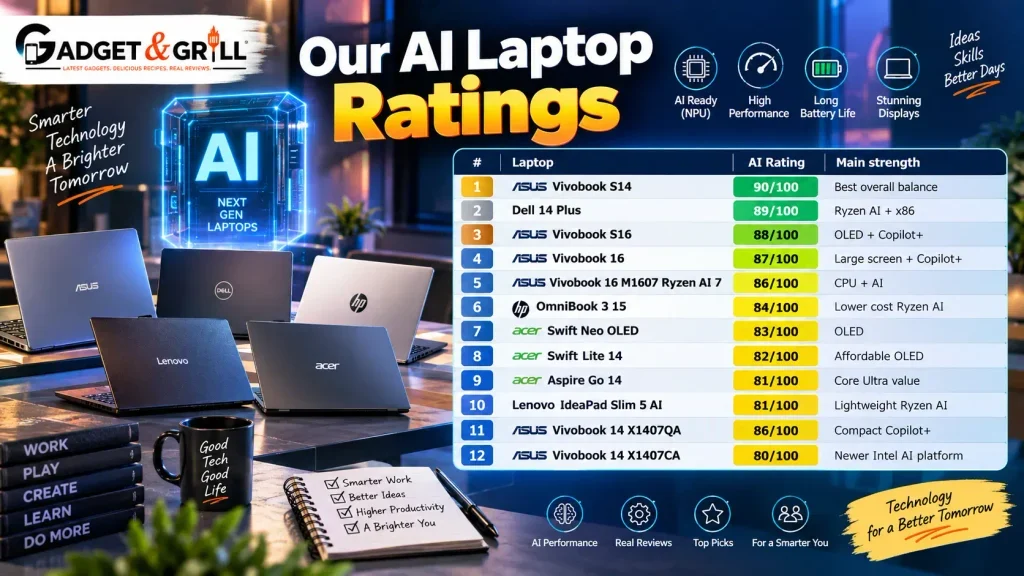
| Laptop | AI Rating | Main strength |
| ASUS Vivobook S14 | 90/100 | Best overall balance |
| Dell 14 Plus | 89/100 | Ryzen AI + x86 |
| ASUS Vivobook S16 | 88/100 | OLED + Copilot+ |
| ASUS Vivobook 16 | 87/100 | Large screen + Copilot+ |
| ASUS Vivobook 16 M1607 Ryzen AI 7 | 86/100 | CPU + AI |
| HP OmniBook 3 15 | 84/100 | Lower cost Ryzen AI |
| Acer Swift Neo OLED | 83/100 | OLED |
| Acer Swift Lite 14 | 82/100 | Affordable OLED |
| Acer Aspire Go 14 | 81/100 | Core Ultra value |
| Lenovo IdeaPad Slim 5 AI | 81/100 | Lightweight Ryzen AI |
| ASUS Vivobook 14 X1407QA | 86/100 | Compact Copilot+ |
| ASUS Vivobook 14 X1407CA | 80/100 | Newer Intel AI platform |
These scores are editorial hardware scores, not manufacturer ratings or first hand Gadget & Grill laboratory test scores.
Which AI Laptop Should You Buy?
For most students
ASUS Vivobook S14
The combination of 45 TOPS NPU, 16GB LPDDR5X, 2.5K 100% sRGB display and 70Wh battery makes it a particularly strong all round package.
For professionals
Dell 14 Plus Ryzen AI 5 340
The Ryzen AI 5 340 provides six cores, twelve threads and a 50 TOPS NPU, while keeping a conventional AMD Windows architecture.
For OLED lovers
ASUS Vivobook S16
The 16 inch OLED panel and 45 TOPS Snapdragon X NPU make it particularly attractive for content consumption and productivity.
For a large screen
ASUS Vivobook 16 X1607QA
A 16 inch 16:10 display paired with Snapdragon X makes it suitable for work, study and multitasking.
For maximum CPU performance within the AI category
Ryzen AI 7 350 based ASUS Vivobook 16
The Ryzen AI 7 350 gives you 8 cores and 16 threads with 50 TOPS NPU capability.
For the lowest price
Acer Aspire Go 14
The Core Ultra 5 125H version is currently available from Acer at Rs.59,999, with 16GB memory and upgrade support to 32GB.
But remember:
It is an AI PC, not a Copilot+ PC.
Frequently Asked Questions
Which is the best AI laptop under Rs.80,000 in India in 2026?
The ASUS Vivobook S14 S3407QA is our top overall pick because it combines a 45 TOPS Snapdragon X NPU, 16GB LPDDR5X, 2.5K 100% sRGB display, 70Wh battery and a 1.35kg body at around Rs.65,990.
Which is the best Copilot+ PC under Rs.80,000?
The ASUS Vivobook S14, Dell 14 Plus Ryzen AI 5 340 and ASUS Vivobook S16 are among the strongest options in the current Indian price range.
What is a Copilot+ PC?
A Copilot+ PC is a Windows PC designed around advanced local AI capabilities and currently requires a compatible NPU capable of at least 40 TOPS for the relevant Copilot+ hardware requirements.
Is every Core Ultra laptop a Copilot+ PC?
No.
For example, Intel’s Core Ultra 5 115U and 125H have 11 TOPS NPUs, so they do not meet the 40+ TOPS NPU threshold for Copilot+ PC classification.
Is Ryzen AI better than Intel Core Ultra?
It depends on the exact processor.
Ryzen AI 5 340 offers up to 50 NPU TOPS, while Core Ultra 5 125H has an 11 TOPS NPU but a 14 core CPU.
You need to compare the exact processors rather than the brand names.
Is Snapdragon X good for Windows laptops?
Yes. Snapdragon X provides a strong efficiency focused platform with a 45 TOPS NPU in the X1 26 100 configuration. Windows 11 supports x86 and x64 software through Prism emulation, although native Arm applications generally provide the best compatibility and performance.
Is Snapdragon X good for gaming?
It is not the first choice for serious PC gaming. Buyers primarily interested in gaming should consider a laptop with dedicated NVIDIA or AMD graphics.
Is an NPU useful for normal users?
It can be useful for compatible features such as camera effects, speech processing and other local AI workloads.
The benefit is greatest when software is designed to use the NPU.
Is 16GB RAM enough for an AI laptop?
Yes. 16GB is the sensible baseline for a new AI laptop in this price range. Microsoft also requires at least 16GB RAM for Recall on Copilot+ PCs.
Is 32GB RAM better for AI?
Yes for advanced workloads. It gives more headroom for large applications, development environments, virtual machines and local AI models.
Can I run ChatGPT on an AI laptop?
Yes. ChatGPT can run through a browser or compatible application on many modern laptops. An NPU is not required for ordinary cloud based ChatGPT usage.
Does an AI laptop work without internet?
Some local AI functions can work without an internet connection, but many AI applications still use cloud services. The exact behaviour depends on the application.
Can an AI laptop replace a gaming laptop?
No.
An AI laptop with a powerful NPU is not automatically a gaming laptop. Dedicated GPU performance remains the priority for demanding games.
Can I run local AI models on a Snapdragon laptop?
Some local AI workloads can run, but software compatibility and model support need to be checked. Traditional x86 GPU based frameworks can also differ significantly from ARM based setups.
Is OLED worth paying extra for?
OLED is attractive for contrast and colour, but it should be compared with the entire laptop. A stronger CPU, better battery or more useful ports may be worth more to a particular user.
Should I buy an AI laptop in 2026?
An AI laptop makes more sense when you plan to use local AI features, Copilot+ functions, AI assisted productivity or NPU accelerated applications. For basic use, a stronger conventional laptop can still be the better fit.
Best AI Laptops Under Rs.80,000: Final Comparison
| Laptop | NPU | Copilot+ | RAM | Display | Best use |
| ASUS Vivobook S14 | 45 TOPS | Yes | 16GB | 2.5K IPS | Best overall |
| Dell 14 Plus Ryzen AI | 50 TOPS | Yes | 16GB | FHD+ IPS | Professionals |
| ASUS Vivobook S16 | 45 TOPS | Yes | 16GB | OLED | Display |
| ASUS Vivobook 16 | 45 TOPS | Yes | 16GB | 16 inch IPS | Large screen |
| HP OmniBook 3 15 | 50 TOPS | Yes | 16GB | FHD IPS | Value |
| ASUS Vivobook 16 Ryzen AI 7 | 50 TOPS | Yes | 16GB | 16 inch | Performance |
| Lenovo IdeaPad Slim 5 AI | 50 TOPS | Yes | 16GB | 1920 × 1200 | Portability |
| Acer Swift Lite 14 | 11 TOPS | No | 16GB | OLED | Affordable OLED |
| Acer Swift Neo OLED | 11 TOPS | No | 16GB | OLED | Display |
| Acer Aspire Go 14 | 11 TOPS | No | 16GB | WUXGA IPS | Core Ultra value |
| ASUS Vivobook 14 X1407QA | 45 TOPS | Yes | 16GB | FHD+ IPS | Compact |
| ASUS Vivobook 14 X1407CA | 13 TOPS | No | 16GB | 1920 × 1200 | Newer Intel |
What To Remember Before You Purchase
The most important lesson from the best AI laptops under Rs.80,000 category is this:
Do not buy an AI laptop because it has “AI” in the product title.
Check the actual hardware.
Look for:
NPU TOPS
exact CPU
RAM
GPU
display
battery capacity
software compatibility
Copilot+ status
upgradeability
The current market makes the distinction especially clear.
The Snapdragon X X1 26 100 has a 45 TOPS NPU.
The Ryzen AI 5 340 reaches 50 NPU TOPS.
The Ryzen AI 7 350 also reaches 50 NPU TOPS while offering 8 cores and 16 threads.
But Core Ultra 5 125H and 115U sit at 11 NPU TOPS despite being marketed as AI capable processors.
That difference matters.
Bottom Line
For most users who want an AI capable laptop without sacrificing portability, display quality and everyday performance, the ASUS Vivobook S14 S3407QA offers one of the strongest overall packages currently available around Rs.66,000.
For buyers who prefer AMD and traditional Windows compatibility, the Dell 14 Plus with Ryzen AI 5 340 is a strong alternative with a 50 TOPS NPU.
For users who want OLED, the ASUS Vivobook S16 brings Snapdragon X and a large 16 inch OLED panel into the sub Rs.80,000 category.
For a lower cost Intel option, the Acer Aspire Go 14 with Core Ultra 5 125H is attractive at the current Acer price of Rs.59,999, especially because its RAM can be expanded to 32GB. It should simply be viewed as an AI PC rather than a Copilot+ PC.
The biggest buying rule is simple:
NPU capability matters, but the whole laptop matters more.
A useful AI laptop needs the right combination of AI acceleration, CPU performance, memory, graphics, battery efficiency, display quality and software compatibility.
That is the standard we use when comparing the best AI laptops under Rs.80,000 in India.