

Finding the best laptops under Rs.70000 in India in 2026 gives you far more options than the Rs.50,000 segment. At this price, you can move into RTX graphics for gaming, newer Core Ultra processors, Snapdragon X Copilot+ PCs, 16GB memory, larger SSDs and higher quality displays.
The important part is knowing what type of laptop you actually need. A gaming laptop and an AI focused thin laptop can cost almost the same amount but serve completely different users. Our selections therefore consider processor performance, graphics capability, RAM, SSD, display quality, battery capacity, portability, upgrade options and current Indian pricing.
The current September 2026 market includes the ASUS Vivobook 16 with Snapdragon X at Rs.61,990, the ASUS TUF Gaming A15 with Ryzen 7 and RTX 3050 at Rs.64,990, the Acer Aspire 5 with Core Ultra 5 125H at Rs.69,890 and several other 16GB configurations below Rs.70,000.
Price snapshot: 17 September 2026
Market: India
RAM target: 16GB preferred
Storage target: 512GB SSD or higher
Gaming target: RTX 3050 class and above where available
Best Laptops Under Rs.70,000 at a Glance
| Category | Laptop | Processor | Graphics | RAM | Storage | Display | Price |
| Best overall for most users | ASUS Vivobook 16 X1607QA | Snapdragon X X1 26 100 | Adreno X1 45 | 16GB LPDDR5X | 512GB | 16 inch FHD+ 60Hz | Rs.61,990 |
| Best for gaming | ASUS TUF Gaming A15 FA566NCR HN075W | Ryzen 7 7435HS | RTX 3050 4GB | 16GB DDR5 | 512GB | 15.6 inch 144Hz | Rs.64,990 |
| Best Intel performance | Acer Aspire 5 A514 54H | Core Ultra 5 125H | Intel Graphics | 16GB LPDDR5 | 512GB | 14 inch WUXGA | Rs.69,890 |
| Best premium display | ASUS Vivobook S14 S3407QA | Snapdragon X X1 26 100 | Adreno | 16GB LPDDR5X | 512GB | 14 inch 2.5K | Rs.65,990 |
| Best 1TB value | Lenovo IdeaPad Slim 5 14IAH8 | Core i5 12450H | Intel UHD | 16GB LPDDR5 | 1TB | 14 inch WUXGA | Rs.60,990 |
| Best mainstream ASUS | ASUS Vivobook 15 X1504VAP | Core 5 120U | Intel Graphics | 16GB DDR4 | 512GB | 15.6 inch FHD | Rs.66,990 |
| Best affordable gaming alternative | ASUS TUF Gaming F15 FX507ZC4 | Core i5 | RTX 3050 4GB | 16GB | 512GB | 15.6 inch FHD | Rs.64,990 |
| Best 24GB gaming option | Acer ALG AL15G 53 | Core i7 13620H | RTX 3050 6GB | 24GB DDR4 | 512GB | 15.6 inch 144Hz | Rs.68,999* |
| Best OLED option to watch | ASUS Vivobook S16 S3607QA | Snapdragon X | Adreno | 16GB | 512GB | 16 inch OLED | Around Rs.69K to Rs.72K* |
| Mainstream AMD option | Lenovo IdeaPad Slim 3 15ABR8 | Ryzen 5 5625U | Radeon integrated | 16GB | 512GB | 15.6 inch | Rs.63,890 |
| Mainstream HP option | HP 15 fd0575TU | Core i5 13th Gen | Intel Iris Xe | 12GB DDR4 | 512GB | 15.6 inch FHD | Rs.61,499 |
| Business oriented compact option | HP 14 ep0385TU | Core 5 Series 1 | Integrated | 16GB | 512GB | 14 inch | Rs.69,800 |
*Price and availability can differ by seller or exact configuration. The Acer ALG listing at Rs.68,999 is currently flagged as out of stock by Smartprix, while its current Acer direct listing for the same family is much higher. The ASUS Vivobook S16 price also varies across listings, so verify the exact SKU before publication.
How We Selected the Best Laptops Under Rs.70,000
We did not rank these laptops simply by processor generation or specification count.
A laptop with a powerful CPU but poor graphics is not automatically the best gaming machine. An ultra portable Snapdragon laptop may be excellent for productivity and battery efficiency but unsuitable for software that depends on specific x86 or driver support.
Our score gives importance to the following:
| Factor | Weight |
| Real world performance potential | 20 |
| Processor capability | 15 |
| Graphics performance | 15 |
| RAM | 10 |
| Display | 10 |
| SSD and storage flexibility | 8 |
| Battery and power efficiency | 8 |
| Portability and build | 5 |
| Connectivity | 4 |
| Upgradeability | 3 |
| Price to performance | 2 |
| Total | 100 |
For gaming models, graphics performance receives greater importance. For thin and light laptops, efficiency, weight, display and battery life carry more weight.
We also check the exact model number because manufacturers frequently sell several configurations under the same laptop family name.
1. ASUS Vivobook 16 X1607QA: Best Overall Laptop Under Rs.70,000
Our score: 88/100
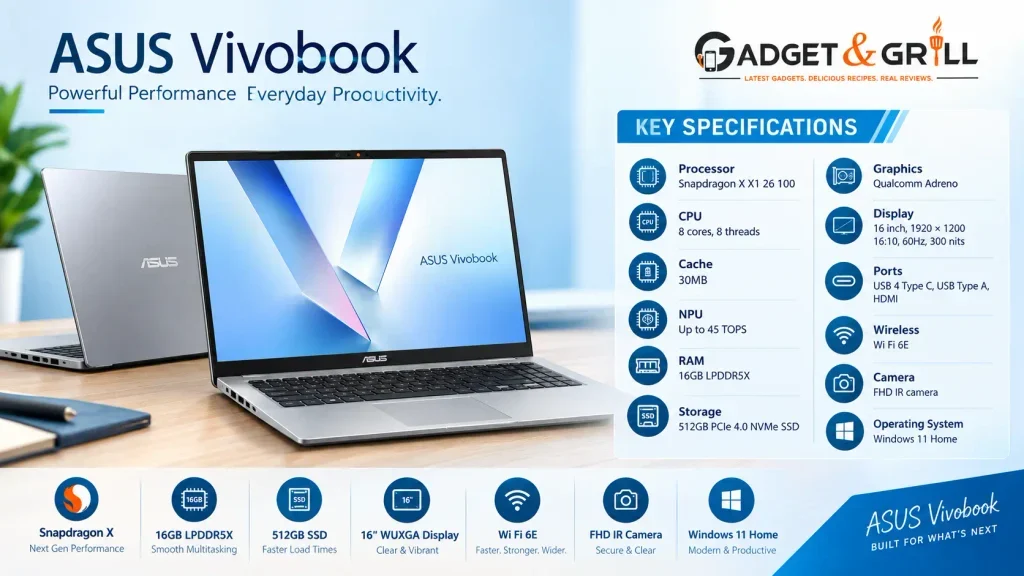
The ASUS Vivobook 16 X1607QA is one of the most interesting options for general users because it brings a modern Qualcomm Snapdragon X platform, 16GB LPDDR5X memory, 512GB PCIe 4.0 SSD and a large 16 inch 16:10 screen to the Rs.60K to Rs.70K price range.
ASUS currently lists the exact X1607QA MB049WS configuration at Rs.61,990, with the Snapdragon X X1 26 100 processor, 16GB LPDDR5X and 512GB SSD. The machine is also listed as in stock through ASUS and several retail partners.
The Snapdragon X X1 26 100 has eight CPU cores, up to 3.0GHz clock speed, 30MB cache and a Qualcomm Hexagon NPU rated up to 45 TOPS. It uses LPDDR5X memory and includes Qualcomm’s Adreno X1 45 integrated GPU.
Key specifications
Processor: Snapdragon X X1 26 100
CPU: 8 cores, 8 threads
Cache: 30MB
NPU: Up to 45 TOPS
RAM: 16GB LPDDR5X
Storage: 512GB PCIe 4.0 NVMe SSD
Graphics: Qualcomm Adreno
Display: 16 inch, 1920 × 1200, 16:10, 60Hz, 300 nits
Ports: USB 4 Type C, USB Type A, HDMI
Wireless: Wi Fi 6E
Camera: FHD IR camera
Operating system: Windows 11 Home
Why it stands out
The large 16 inch 16:10 display gives you more vertical workspace than a standard 16:9 panel. That can be useful for documents, spreadsheets, browsing and coding.
The two USB 4 Type C ports can also support high speed data, display output and power delivery. ASUS lists Wi Fi 6E connectivity and a backlit keyboard with a Copilot key.
The important ARM limitation
This is an ARM based Windows laptop.
Windows 11 on Arm can run many x86 and x64 applications through emulation, and Microsoft’s Prism emulator improves compatibility and performance. However, native Arm applications still have advantages, while software that depends on specific kernel level drivers can have compatibility limitations.
That means the Vivobook 16 is a strong choice for:
Office work
College work
Browsing
Streaming
Meetings
General coding
Light creative work
It is not the first machine I would select for serious gaming, specialist engineering applications or software with strict x86 driver dependencies.
Best for
Students, professionals, office users and people who value portability and modern connectivity.
2. ASUS TUF Gaming A15: Best Gaming Laptop Under Rs.70,000
Our score: 91/100 for gaming
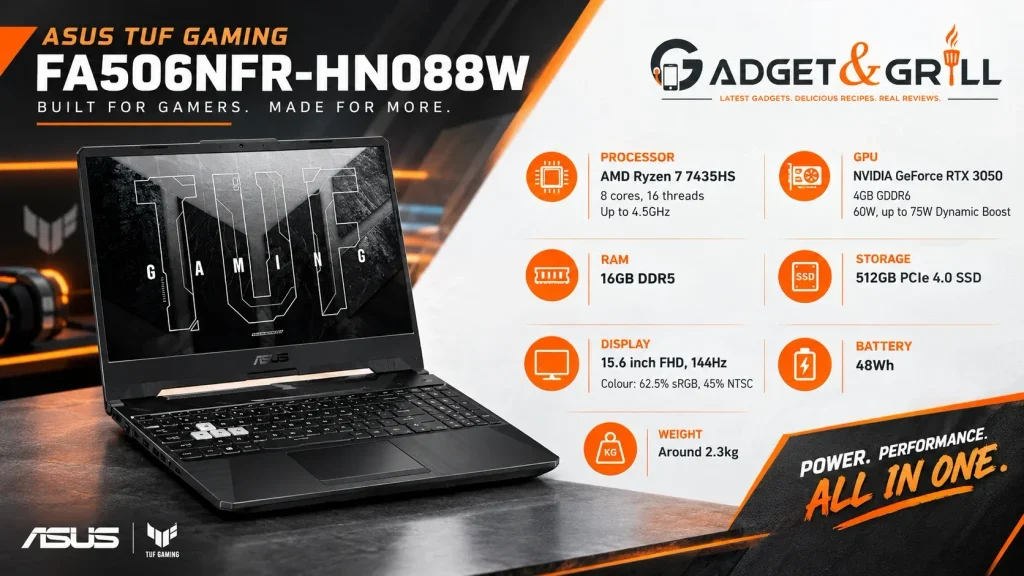
The ASUS TUF Gaming A15 FA566NCR HN075W changes the entire conversation once gaming becomes a priority.
The exact model currently appears around Rs.64,990 and combines a Ryzen 7 7435HS, 16GB DDR5, 512GB SSD and NVIDIA GeForce RTX 3050 4GB.
ASUS lists the Ryzen 7 7435HS at 8 cores and 16 threads, with clock speeds up to 4.5GHz. The RTX 3050 configuration is specified at up to 1675MHz, with 60W graphics power and up to 75W with Dynamic Boost.
Key specifications
Processor: AMD Ryzen 7 7435HS
CPU: 8 cores, 16 threads
Max clock: Up to 4.5GHz
GPU: NVIDIA GeForce RTX 3050 4GB GDDR6
GPU power: 60W, up to 75W Dynamic Boost
RAM: 16GB DDR5
Storage: 512GB PCIe 4.0 SSD
Display: 15.6 inch FHD, 144Hz
Colour: 62.5% sRGB, 45% NTSC
Battery: 48Wh
Weight: Around 2.3kg
Why it is so important at Rs.65K
You are getting dedicated RTX graphics instead of relying on an integrated GPU.
That changes the laptop’s capabilities for gaming, GPU accelerated applications and some creator workloads.
The 16GB DDR5 configuration also means you do not immediately need a memory upgrade.
The screen is the compromise
The 144Hz refresh rate is useful for gaming, but the panel’s 45% NTSC and 62.5% sRGB coverage means this is not the ideal machine for professional colour sensitive work.
So this is a very simple decision:
Gaming first: excellent fit
Gaming plus office work: very good fit
Gaming plus professional colour work: display is a compromise
Best for
Gamers, engineering students, computer science students and users who want a high performance laptop that can also handle productivity tasks.
3. Acer Aspire 5 A514 54H: Best Core Ultra Laptop Under Rs.70,000
Our score: 86/100
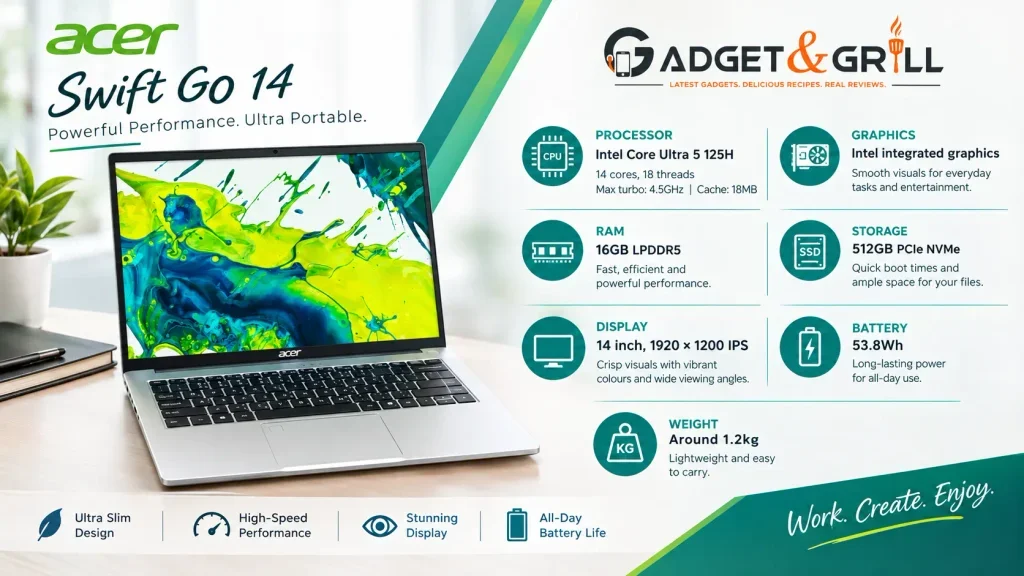
The Acer Aspire 5 A514 54H is one of the most technically interesting productivity laptops in this price category.
The current configuration uses an Intel Core Ultra 5 125H, 16GB LPDDR5 and 512GB SSD. Current Indian retail listings place it at Rs.69,890.
Intel’s specifications show that the Core Ultra 5 125H has 14 cores, 18 threads, 18MB cache and a maximum turbo frequency of 4.5GHz. Its processor base power is 28W and maximum turbo power is 115W. Intel also rates the processor’s overall peak AI performance at 33 TOPS.
Key specifications
Processor: Intel Core Ultra 5 125H
CPU: 14 cores, 18 threads
Max turbo: 4.5GHz
Cache: 18MB
RAM: 16GB LPDDR5
SSD: 512GB PCIe NVMe
Display: 14 inch, 1920 × 1200 IPS
Battery: 53.8Wh according to current 91mobiles specifications
Weight: Around 1.2kg
Graphics: Intel integrated graphics
What makes it different
The Core Ultra 5 125H is not simply a renamed traditional Core i5.
It belongs to Intel’s Meteor Lake family and includes a dedicated NPU for AI workloads. The processor combines Performance cores, Efficient cores and Low Power Efficient cores.
The laptop is also remarkably light for its processor class.
A 1.2kg machine with a 14 core processor, 16GB memory and a 512GB SSD is attractive for professionals and students who carry their laptop every day.
Independent review data
91mobiles reviewed this exact laptop family in June 2026 and gave it an expert rating of 7.8/10. The review highlighted above average performance, fast NVMe SSD speeds, good battery life and a comfortable keyboard. It also noted that the display is serviceable rather than exceptional and the plastic chassis feels budget oriented.
Best for
Professionals, students, coding, office work, research, multitasking and users who want Intel Core Ultra features at a lower price.
4. ASUS Vivobook S14: Best Display Focused Laptop Under Rs.70,000
Our score: 87/100
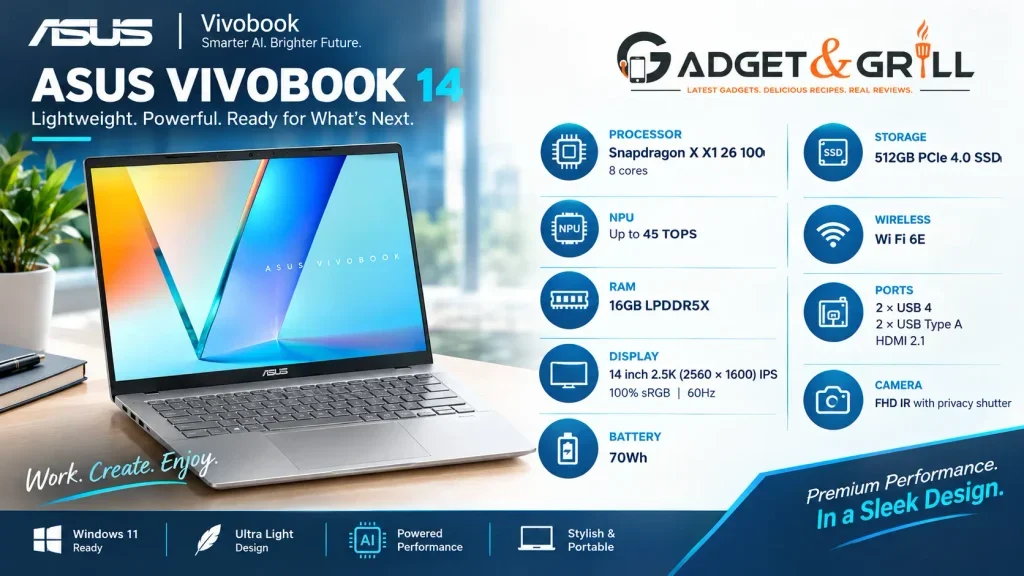
The ASUS Vivobook S14 S3407QA is aimed at users who want portability, a sharper display and Snapdragon X efficiency.
The 16GB version with 512GB SSD is currently listed around Rs.65,990 through Indian retailers.
ASUS lists the Snapdragon X X1 26 100 with eight cores, 30MB cache and up to 45 TOPS NPU performance. The 14 inch display is a 2.5K 2560 × 1600 16:10 IPS panel with 100% sRGB coverage in the referenced specification.
Key specifications
Processor: Snapdragon X X1 26 100
CPU: 8 cores
NPU: Up to 45 TOPS
RAM: 16GB LPDDR5X
Storage: 512GB PCIe 4.0 SSD
Display: 14 inch 2.5K 2560 × 1600 IPS
Colour: 100% sRGB
Refresh rate: 60Hz
Battery: 70Wh
Wireless: Wi Fi 6E
Ports: 2 × USB 4, 2 × USB Type A, HDMI 2.1
Camera: FHD IR with privacy shutter
ASUS states that its own testing of the S3407QA platform achieved up to 30.5 hours of battery life in a specific video playback test configuration. That is a manufacturer test result, not an independent Gadget & Grill battery test.
Why it stands out
The combination of:
2.5K resolution
100% sRGB
16GB LPDDR5X
70Wh battery
45 TOPS NPU
makes this a very attractive productivity and content consumption machine.
Best for
Students, professionals, travellers, writers, developers and users who prioritise portability and display quality.
5. Lenovo IdeaPad Slim 5 14IAH8: Best 1TB Laptop Under Rs.70,000
Our score: 84/100
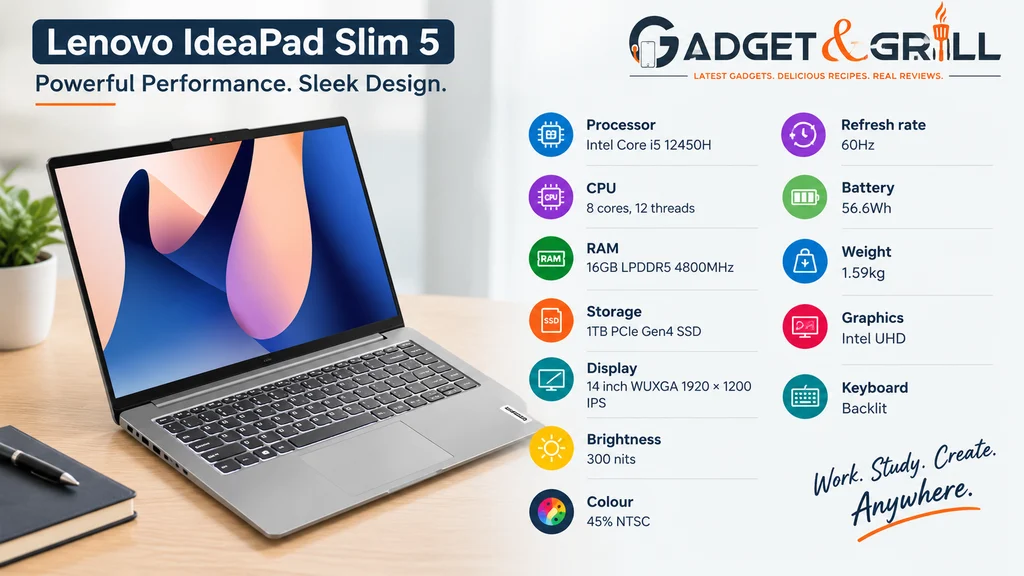
Lenovo’s IdeaPad Slim 5 14IAH8 is a practical option for users who care more about productivity and storage than gaming.
The exact 83BF0043IN configuration is currently listed by Lenovo at Rs.60,990. It uses a Core i5 12450H, 16GB LPDDR5 memory and a 1TB PCIe Gen4 SSD.
Key specifications
Processor: Intel Core i5 12450H
CPU: 8 cores, 12 threads
RAM: 16GB LPDDR5 4800MHz
Storage: 1TB PCIe Gen4 SSD
Display: 14 inch WUXGA 1920 × 1200 IPS
Brightness: 300 nits
Colour: 45% NTSC
Refresh rate: 60Hz
Battery: 56.6Wh
Weight: 1.59kg
Graphics: Intel UHD
Keyboard: Backlit
Why the 1TB SSD matters
Modern applications are becoming larger, and users who keep large project folders, photographs, videos or development environments can fill a 512GB drive faster than expected.
A 1TB SSD gives you significantly more working space without requiring an immediate upgrade.
The major limitation
The RAM is soldered.
Lenovo lists the 16GB LPDDR5 memory as soldered, so you should purchase the right memory configuration from the start.
Best for
College students, office users, programmers, writers and professionals who need more storage.
6. ASUS TUF Gaming F15: Another Strong RTX 3050 Option
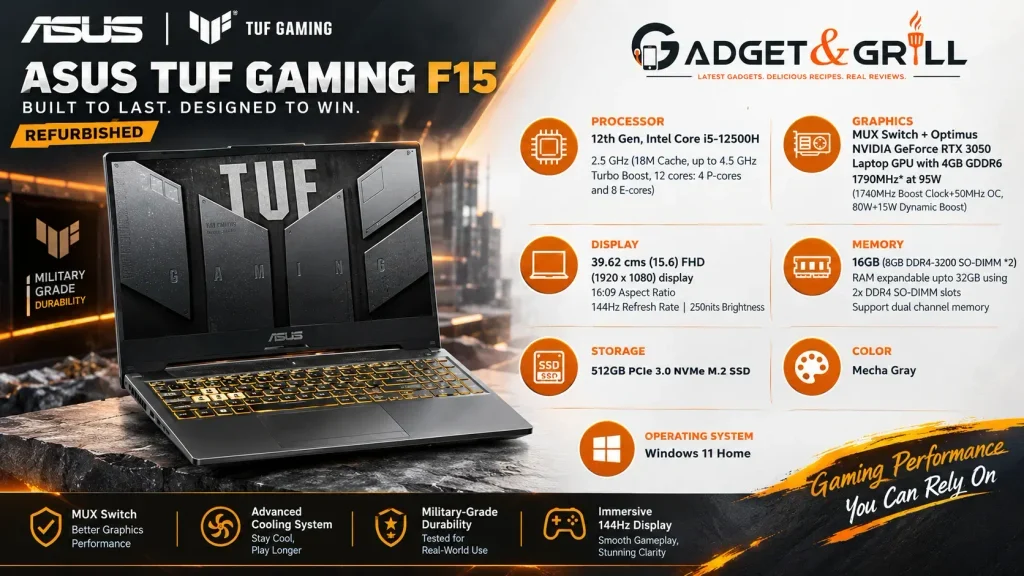
The ASUS TUF Gaming F15 FX507ZC4 HN116W is another gaming focused option around Rs.64,990 in current Indian retail listings. The configuration carries a 12th Gen Core i5 processor, RTX 3050 graphics, 16GB RAM and 512GB SSD. Current listings show the model in stock on Flipkart.
Its main appeal is simple:
dedicated RTX graphics + 16GB RAM + high refresh rate gaming display.
It is a good alternative when the TUF A15 configuration is unavailable.
However, check the exact processor, RAM type, operating system and display before ordering because ASUS sells several TUF F15 configurations under similar names.
Best for
Gaming, college students and performance focused users.
7. ASUS Vivobook 15 X1504VAP: Best Mainstream ASUS Laptop
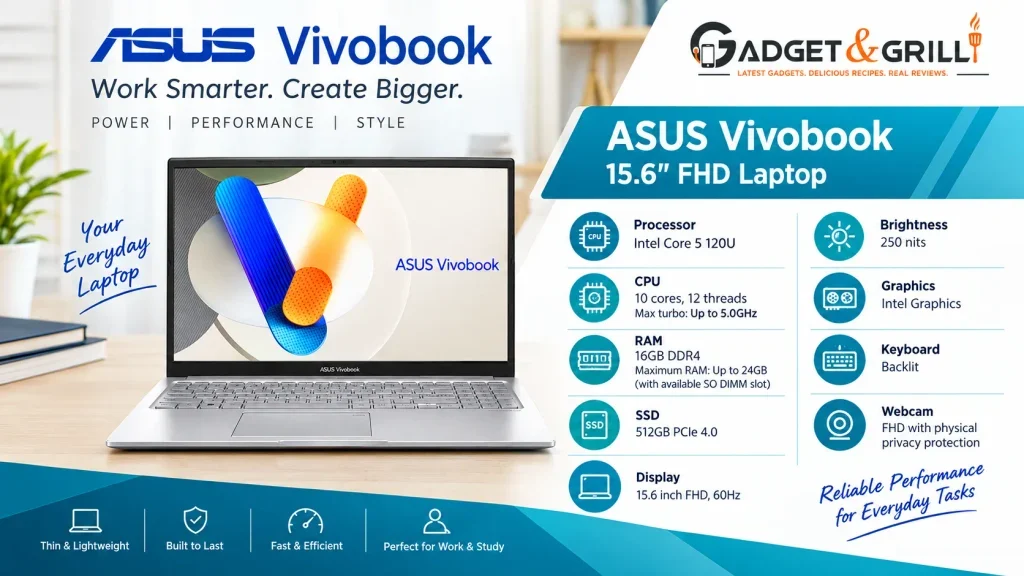
The ASUS Vivobook 15 X1504VAP NJ2862WS is designed for everyday productivity rather than dedicated gaming.
ASUS lists the Intel Core 5 120U with 10 cores, 12 threads and up to 5.0GHz, paired with 16GB DDR4 memory and a 512GB PCIe 4.0 SSD. The display is a 15.6 inch Full HD 60Hz panel rated at 250 nits.
Current Indian pricing is around Rs.66,990.
Key specifications
Processor: Intel Core 5 120U
CPU: 10 cores, 12 threads
Max turbo: Up to 5.0GHz
RAM: 16GB DDR4
Maximum RAM: Up to 24GB with the available SO DIMM slot
SSD: 512GB PCIe 4.0
Display: 15.6 inch FHD, 60Hz
Brightness: 250 nits
Graphics: Intel Graphics
Keyboard: Backlit
Webcam: FHD with physical privacy protection
Best for
Office work, students, browsing, spreadsheets and everyday productivity.
8. Lenovo IdeaPad Slim 3: Best AMD Mainstream Option
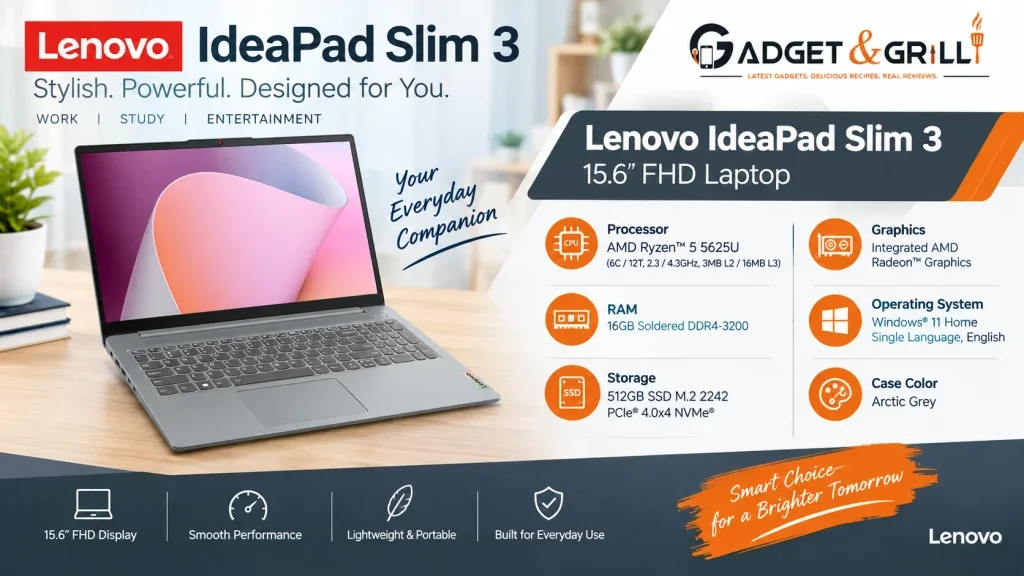
The Lenovo IdeaPad Slim 3 15ABR8 82XM00QDIN currently appears around Rs.63,890 with Ryzen 5 5625U, 16GB RAM and a 512GB SSD.
This is a sensible machine for users who need a mainstream AMD laptop but do not need dedicated graphics.
The big caution is the display configuration. The current listing identifies a 15.6 inch TN panel, so the laptop should not be compared directly with stronger IPS or 2.5K display machines simply on the basis of processor and RAM.
Best for
Students, office users and everyday workloads when price matters more than display quality.
9. Acer ALG: Powerful on Paper, But Check Availability
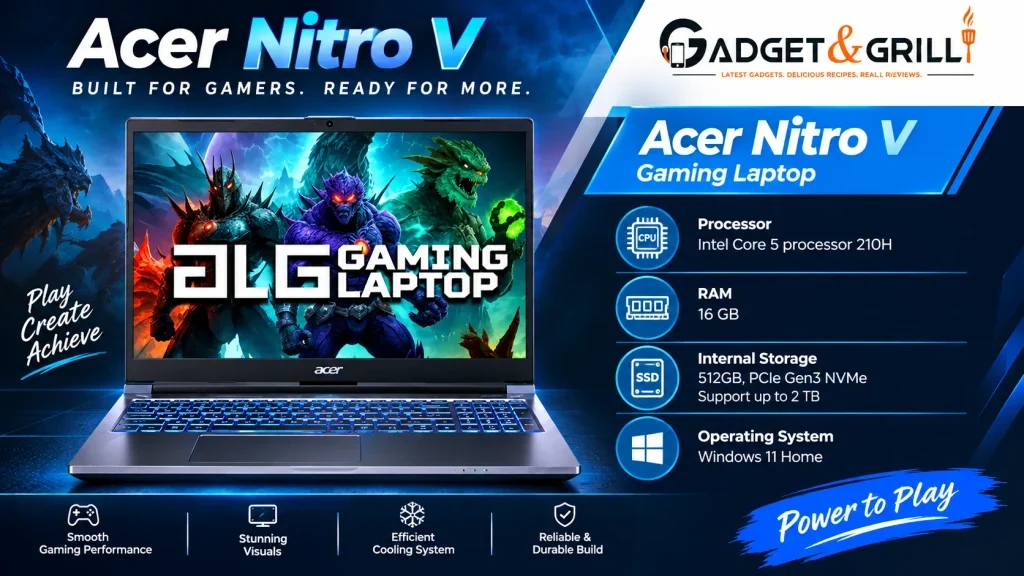
The Acer ALG AL15G 53 is perhaps the most interesting example of a laptop that looks outstanding in a comparison database but needs careful stock verification.
The current 91mobiles database lists a configuration with a Core i7 13620H, 24GB DDR4, RTX 3050 6GB and 512GB SSD at Rs.68,999.
The exact Acer configuration includes a 15.6 inch FHD 144Hz display, RTX 3050 6GB, 24GB RAM, 54Wh battery, 1.99kg body and a 150W adapter.
On pure specifications, this is extremely attractive.
The problem is availability.
Smartprix currently marks this exact configuration as out of stock, while Acer’s current direct listing for the same reference has a significantly higher price.
Our recommendation
Keep this model in the comparison table and monitor its price.
Do not publish Rs.68,999 as a guaranteed live purchase price unless the exact configuration is available at that price when the article goes live.
10. MSI Thin 15 B13UC: RTX 3050 With a Low Power Configuration
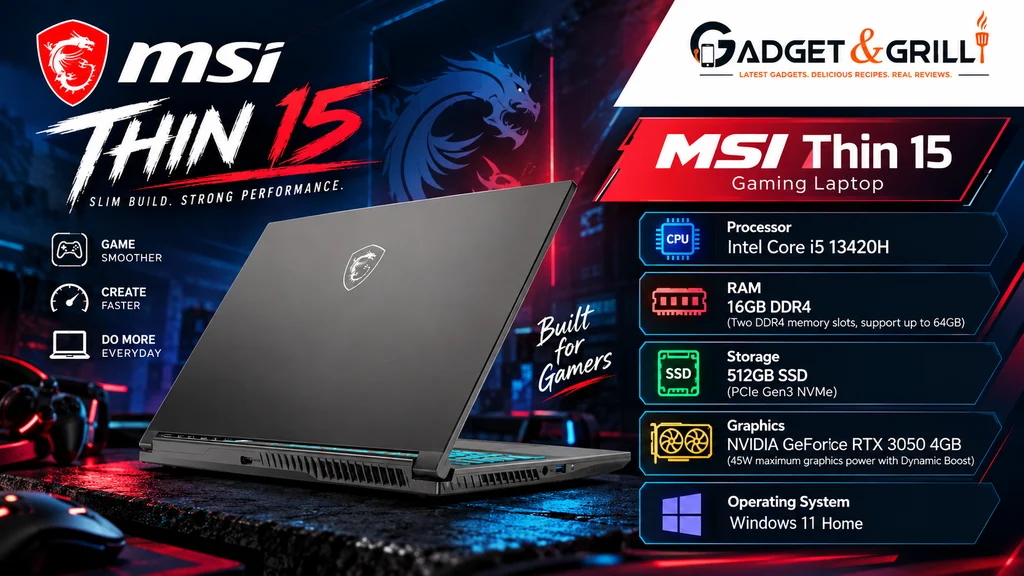
The MSI Thin 15 B13UC 3231IN is currently around Rs.69,994 through Croma listings. It uses a Core i5 13420H, 16GB DDR4, 512GB SSD and RTX 3050 4GB.
MSI’s official specification gives the RTX 3050 a 45W maximum graphics power with Dynamic Boost. It also has two DDR4 memory slots and support for up to 64GB.
That is an important technical detail.
Two laptops can both carry “RTX 3050” on the product page and still have materially different power configurations.
So the MSI Thin 15 should be evaluated by:
RTX 3050
plus
45W maximum graphics power
plus
cooling
plus
price
rather than the GPU name alone.
Best for
Users who want RTX graphics and strong future RAM expansion.
11. HP 15: Mainstream Productivity Alternative
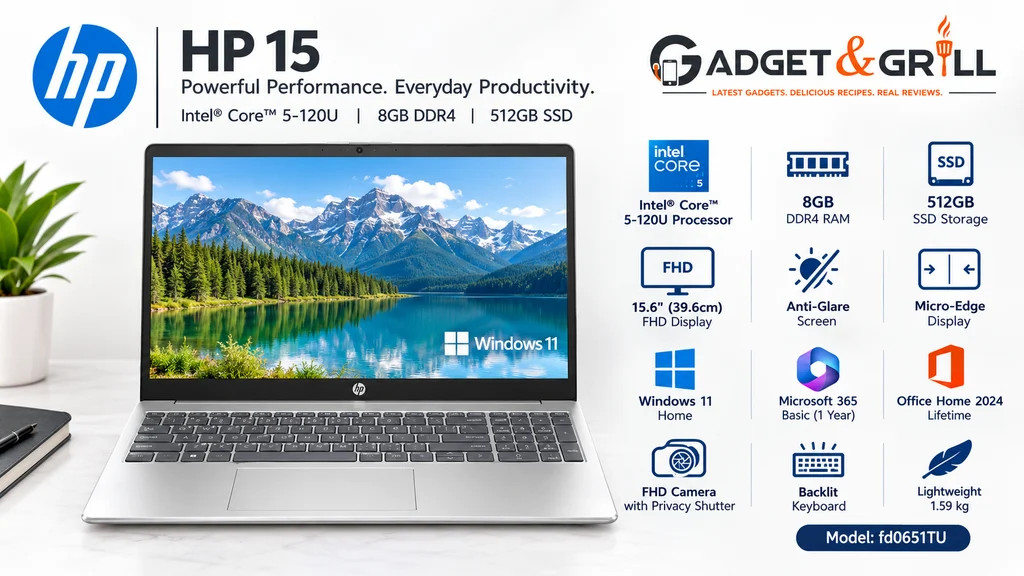
The HP 15 fd0575TU is a more traditional productivity laptop.
HP currently lists the configuration with a 13th Generation Intel Core i5 processor, 12GB DDR4 RAM and 512GB SSD at around Rs.61,499 on its Indian store. It also includes a 15.6 inch Full HD display, Intel Iris Xe graphics, a backlit keyboard and a 1080p camera.
This is not a gaming laptop.
It is better suited to:
Office work
College assignments
Browsing
Video meetings
Microsoft Office
General multitasking
The RAM point
The 12GB configuration is less attractive than the 16GB machines in this price range, especially for buyers who intend to keep the laptop for several years.
That is why the HP 15 sits below our preferred 16GB alternatives.
12. HP 14 Core 5 Series 1
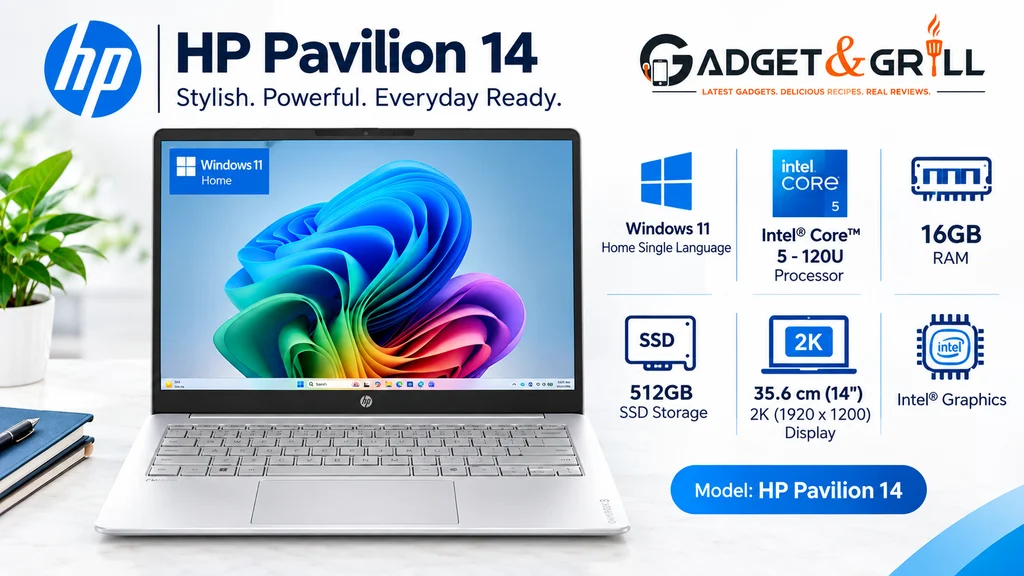
The HP 14 ep0385TU is another current option close to the Rs.70K ceiling.
MySmartPrice currently lists the machine around Rs.69,800 with a Core 5 Series 1 processor, 16GB RAM and 512GB SSD.
This is worth considering for users who want:
14 inch portability
16GB RAM
512GB storage
modern mainstream Intel hardware
It is not designed as a gaming machine, so users looking for RTX graphics should move to the ASUS TUF options instead.
Which Processor is Best Under Rs.70,000?
The answer depends on what the laptop will do.
| Processor | Main strength | Suitable for |
| Ryzen 7 7435HS | High performance multicore CPU | Gaming, demanding workloads |
| Core Ultra 5 125H | Balanced CPU + NPU + modern platform | Productivity, coding, AI tasks |
| Core i5 12450H | Strong traditional performance | Productivity, multitasking |
| Snapdragon X X1 26 100 | Efficiency + integrated AI | Office, study, portability |
| Core 5 120U | Mainstream efficiency | Office, browsing, students |
| Ryzen 5 5625U | Affordable mainstream performance | Office, study, everyday use |
Intel’s Core Ultra 5 125H has 14 cores and 18 threads, while Snapdragon X X1 26 100 uses eight cores and focuses strongly on efficiency and integrated AI capability.
Do not compare these processors only by core count.
The platform, power envelope, cooling system and integrated graphics are also important.
Intel vs AMD vs Snapdragon Under Rs.70,000
Intel
Intel remains the easiest all round platform for users who want broad Windows software compatibility, strong application support and a wide selection of laptop configurations.
Core Ultra models also add dedicated NPU hardware for AI workloads. The Core Ultra 5 125H, for example, has 33 TOPS overall peak AI performance according to Intel.
AMD
AMD remains particularly attractive when strong CPU performance and gaming value are priorities.
The Ryzen 7 7435HS in the ASUS TUF A15 provides 8 cores and 16 threads and is paired with dedicated RTX graphics.
Snapdragon X
Snapdragon X is different.
The X1 26 100 has eight cores, LPDDR5X support and an NPU rated up to 45 TOPS.
Windows 11 on Arm now supports x86 and x64 app emulation through Prism, but native Arm applications still provide the best performance and compatibility experience.
Our practical rule
Gaming: AMD or Intel with discrete NVIDIA graphics
General productivity: Intel, AMD or Snapdragon
Long battery life and portability: Snapdragon becomes more interesting
Specialist Windows software: Check ARM compatibility before buying
How Much RAM Do You Need Under Rs.70,000?
For 2026, 16GB should be your target.
At this price, there is little reason to settle for 8GB unless the laptop has an excellent upgrade path and the lower price is significant.
8GB
Suitable for basic office work and lighter workloads.
12GB
Usable, but less attractive for long term ownership.
16GB
The best balance for students, professionals, coding, multitasking and general productivity.
24GB or 32GB
Useful for heavy multitasking, creative applications, virtual machines and advanced workloads.
The Acer ALG illustrates how attractive higher memory can be when the price is right, with one current database configuration carrying 24GB RAM.
Is 512GB SSD Enough in 2026?
Yes, but 1TB is more comfortable.
A 512GB SSD is sufficient for:
Office applications
College projects
Coding
General software
Moderate media storage
Gamers and creators may fill it quickly.
The Lenovo IdeaPad Slim 5 becomes interesting because the current 83BF0043IN configuration gives you 1TB PCIe Gen4 SSD storage at Rs.60,990.
That is a major advantage if you store large project files.
Is an OLED Laptop Better Under Rs.70,000?
OLED can provide excellent contrast, deep blacks and strong colour reproduction, but do not buy a laptop simply because its specification says OLED.
Check:
Resolution
Refresh rate
Brightness
Colour gamut
Battery behaviour
Processor
RAM
The ASUS Vivobook S16 platform, for example, combines Snapdragon X with a 16 inch OLED display in some configurations, but current pricing can move above the Rs.70K threshold depending on the exact version.
For a strict Rs.70,000 limit, an IPS laptop with a stronger processor and better overall hardware can still be the more practical purchase.
Do You Need an RTX GPU Under Rs.70,000?
Only when you have a genuine graphics intensive workload.
Choose an RTX laptop for:
Gaming
3D applications
GPU accelerated video editing
Some AI workloads
CUDA based applications
Do not choose an RTX gaming laptop purely because it sounds more powerful.
Gaming machines are typically heavier, draw more power and can be louder under sustained load.
For office work, coding and study, an efficient 14 inch laptop may be more useful.
Best Laptop Under Rs.70,000 for Students
For a student, the right choice depends on the course.
General college student
ASUS Vivobook 16 X1607QA
The 16 inch screen, 16GB LPDDR5X, 512GB SSD and Snapdragon X platform make it a strong daily productivity system.
Engineering or computer science student
Acer Aspire 5 Core Ultra 5
The Core Ultra 5 125H provides a much stronger traditional Windows laptop platform for demanding multitasking and technical applications.
Gaming plus study
ASUS TUF Gaming A15
Its Ryzen 7 processor and RTX 3050 move it into a completely different performance class.
Best Laptop Under Rs.70,000 for Coding
For general web development, Python, Java, C++, SQL and IDE based work, 16GB RAM is the most important starting point.
The Acer Aspire 5 Core Ultra 5 125H is an attractive choice because of its 14 core, 18 thread processor and 16GB memory configuration.
The ASUS Vivobook 16 with Snapdragon X can also work well for development, but ARM compatibility should be checked for specific toolchains, drivers, virtual machines and low level development requirements. Microsoft notes that x86 and x64 applications can run through emulation, while native Arm software provides the strongest experience.
Best Laptop Under Rs.70,000 for Video Editing
For serious video editing, favour:
16GB or more RAM
strong CPU
good colour display
fast SSD
dedicated GPU where possible
This puts the ASUS TUF A15 and Acer ALG ahead for GPU accelerated workloads when their configurations are available.
For colour sensitive work, however, the TUF A15’s 45% NTSC panel is a compromise.
The ASUS Vivobook S14 is more attractive for display quality because ASUS lists its 2.5K IPS panel at 100% sRGB.
Best Laptop Under Rs.70,000 for Office Work
For Microsoft Office, spreadsheets, email, meetings and browser heavy workloads, you do not need an RTX GPU.
The ASUS Vivobook 16, Lenovo IdeaPad Slim 5 and Acer Aspire 5 all make more sense than carrying a heavy gaming laptop unnecessarily.
The Lenovo weighs around 1.59kg and has a 56.6Wh battery, while the Acer Aspire 5 configuration weighs around 1.2kg according to current review data.
Best Laptop Under Rs.70,000 for Battery Life and Portability
The Snapdragon X models deserve serious attention here.
ASUS claims up to 30.5 hours of battery life for the Vivobook S14 under its specific video playback test conditions with a 70Wh battery. Actual battery life varies with workload, brightness, software and configuration.
The ASUS Vivobook 16 is also built around a low power Snapdragon platform and a 50Wh battery.
For frequent travel, this category is worth considering.
Best Laptop Under Rs.70,000 for Gaming
The ASUS TUF Gaming A15 FA566NCR HN075W is one of the strongest current options below the Rs.70K ceiling.
It combines:
Ryzen 7 7435HS
RTX 3050 4GB
16GB DDR5
512GB SSD
144Hz display
up to 75W GPU power with Dynamic Boost.
The Acer ALG with RTX 3050 6GB can become an even more interesting deal when its lower listed price returns with genuine stock, but current availability needs to be verified.
RTX 3050 vs Integrated Graphics
This is not a close comparison for gaming.
An RTX 3050 laptop has dedicated graphics memory and dedicated GPU resources, while laptops such as the Acer Aspire 5 Core Ultra configuration rely on integrated graphics.
For office work, both approaches can work.
For gaming and GPU accelerated applications, dedicated RTX graphics provide a much stronger platform.
That is the main reason the ASUS TUF models occupy a different category from machines such as the Vivobook 16 and Lenovo Slim 5.
What is TGP and Why Does it Matter?
TGP refers to the graphics power assigned to the laptop GPU.
Two laptops can use the same GPU name and still have different power configurations.
ASUS lists the RTX 3050 in the TUF A15 at 60W with Dynamic Boost up to 75W.
MSI lists the RTX 3050 in the Thin 15 B13UC at 45W maximum graphics power with Dynamic Boost.
So the label “RTX 3050” is only the beginning of the comparison.
This is one of the most important specifications to check before purchasing a gaming laptop.
What Display Specifications Matter Most?
Do not look only at screen size.
Check:
Resolution
1920 × 1200 is useful for productivity because of the 16:10 aspect ratio.
Refresh rate
120Hz or 144Hz is useful for gaming and smoother scrolling.
Brightness
300 nits is a more useful target than very low brightness panels.
Colour gamut
100% sRGB is a much stronger proposition for creative work than 45% NTSC class panels.
Aspect ratio
16:10 gives more vertical workspace than traditional 16:9.
The ASUS Vivobook S14 provides a good example of a productivity focused display with 2560 × 1600 resolution and 100% sRGB.
Why 16:10 Displays are Useful
A 16:10 laptop screen gives you more vertical pixels.
That can help with:
Web pages
Coding
Documents
Spreadsheets
Timeline based applications
Research
A 1920 × 1200 screen therefore gives you a different experience from a 1920 × 1080 screen even though the horizontal pixel count is identical.
How Much Should You Spend on a Laptop?
Your Rs.70,000 budget should be based on workload.
Around Rs.60K
Good mainstream productivity machines and entry level dedicated graphics start becoming available.
Rs.60K to Rs.65K
This is where excellent value appears in the current market, particularly with ASUS TUF and Snapdragon based models.
Rs.65K to Rs.70K
You can move into stronger gaming systems, Core Ultra laptops, higher resolution displays and larger memory or storage configurations.
Spending the full Rs.70,000 is not automatically better.
A Rs.62,000 laptop with the right configuration can be a better purchase than a Rs.69,000 machine with an older processor, low RAM or a poor screen.
Rs.50,000 vs Rs.70,000 Laptop
Your previous Rs.50K budget category is still highly relevant.
But Rs.70K opens several new possibilities.
| Feature | Around Rs.50K | Around Rs.70K |
| RAM | 8GB to 16GB | 16GB becomes easier to find |
| CPU | Core i5 / Ryzen 5 | Core Ultra / Ryzen 7 / Snapdragon X |
| Gaming GPU | Limited options | RTX 3050 becomes realistic |
| Display | FHD IPS | Better 16:10, higher refresh or 2.5K options |
| Storage | Usually 512GB | 512GB to 1TB |
| AI hardware | Less common | NPU based systems increasingly common |
| Portability | Mixed | More premium thin models |
| Upgrade options | Varies | More configuration choices |
This makes the Rs.70K page a useful next step for readers who have already seen the Rs.50K laptop article.
What Should You Avoid Under Rs.70,000?
A larger budget does not protect you from poor configurations.
Avoid 8GB RAM when 16GB is available at a similar price
There is little reason to start with 8GB at this budget unless upgrades are simple and the price difference is meaningful.
Avoid old processors at premium prices
A familiar Core i5 badge does not automatically mean the processor is current or appropriate for the price.
Avoid gaming laptops with unknown GPU power
Always look for the manufacturer’s GPU power specification.
Avoid poor displays on expensive productivity laptops
A powerful CPU paired with a weak 250 nit panel can become frustrating for daily use.
Avoid out of stock prices
A comparison website showing Rs.68,999 does not mean you can actually purchase the laptop for Rs.68,999.
The Acer ALG demonstrates this exact problem. Current databases show an attractive price, but the specific model is currently marked out of stock.
Avoid ARM laptops without checking your software
Windows on Arm has improved significantly, but specialist applications and drivers still deserve a compatibility check before purchase.
Which Laptop is Best for Different Users?
| User | Recommended model |
| General user | ASUS Vivobook 16 |
| Gaming | ASUS TUF Gaming A15 |
| Engineering student | Acer Aspire 5 Core Ultra 5 |
| Computer science student | Acer Aspire 5 / ASUS TUF A15 |
| Office work | ASUS Vivobook 16 |
| Coding | Acer Aspire 5 Core Ultra 5 |
| Travel | ASUS Vivobook S14 |
| Display quality | ASUS Vivobook S14 |
| 1TB storage | Lenovo IdeaPad Slim 5 |
| Gaming plus productivity | ASUS TUF Gaming A15 |
| RTX graphics | ASUS TUF Gaming A15 |
| Large screen productivity | ASUS Vivobook 16 |
A Laptop Buying Checklist for Rs.70,000
Before placing the order, check these specifications on the product page.
1. Exact model number
Do not rely only on the family name.
2. Processor
Check the exact CPU model, not simply “Core i5”, “Core Ultra” or “Ryzen 7”.
3. GPU
Confirm the exact NVIDIA or AMD GPU.
4. GPU power
Especially important for gaming laptops.
5. RAM
16GB is the preferred starting point.
6. SSD
512GB is practical. 1TB gives more breathing room.
7. Display
Check resolution, brightness, refresh rate and colour coverage.
8. Battery
Look at Wh capacity rather than vague “all day” marketing claims.
9. Weight
A gaming laptop can weigh above 2kg, while productivity models can approach 1.2kg.
10. Upgrade options
Check whether RAM is soldered, how many memory slots exist and how many SSD slots are available.
11. Warranty
Confirm the manufacturer’s warranty in India.
12. Price
Compare the exact SKU rather than comparing only the product family name.
FAQ
Which is the best laptop under Rs.70,000 in India in 2026?
The ASUS Vivobook 16 X1607QA is one of the strongest general purpose options because it combines Snapdragon X, 16GB LPDDR5X, a 512GB PCIe 4.0 SSD and a 16 inch 16:10 display at Rs.61,990. Buyers who need traditional Windows software, gaming or specialist x86 applications should consider an Intel, AMD or discrete GPU model instead.
Which is the best gaming laptop under Rs.70,000?
The ASUS TUF Gaming A15 FA566NCR HN075W is one of the strongest current options, with Ryzen 7 7435HS, RTX 3050 4GB, 16GB DDR5 and a 144Hz display. ASUS specifies up to 75W graphics power with Dynamic Boost.
Which is the best Core Ultra laptop under Rs.70,000?
The Acer Aspire 5 A514 54H uses the Core Ultra 5 125H with 16GB LPDDR5 and 512GB SSD. Its current retail price is around Rs.69,890.
Is Snapdragon X good for laptops?
Yes. Snapdragon X provides an efficient ARM based laptop platform with integrated graphics and a 45 TOPS NPU in the X1 26 100 configuration. Windows 11 also supports x86 and x64 applications through emulation.
Is Snapdragon X good for gaming?
It is not the first choice for serious PC gaming. A laptop with a dedicated RTX GPU is much better suited to demanding PC games.
Is 16GB RAM enough for a laptop in 2026?
Yes. 16GB is the sensible target for most users at this price. It provides enough memory for office work, study, coding, multitasking and many creator workloads.
Is 1TB SSD better than 512GB SSD?
For long term storage, yes. A 1TB SSD provides twice the capacity, which is useful for games, videos, project files and large application libraries.
Is Core Ultra 5 better than Core i5?
The processor name alone is not enough. Core Ultra 5 is a newer product family that can include NPU hardware and different CPU architectures. The exact model should be compared instead of assuming that every Core Ultra 5 is faster than every Core i5.
Is Ryzen 7 better than Core Ultra 5?
Not for every workload. A Ryzen 7 7435HS paired with RTX 3050 in a gaming laptop serves a very different purpose from a Core Ultra 5 125H in a 1.2kg productivity laptop.
Is RTX 3050 enough for gaming in 2026?
It remains a useful entry level dedicated GPU for 1080p laptop gaming, but performance depends heavily on the laptop’s power limit, cooling, CPU, RAM and game settings.
Does TGP matter?
Yes. The same GPU can be configured at different power levels. ASUS lists the TUF A15 RTX 3050 at 60W with Dynamic Boost to 75W, while MSI specifies 45W maximum graphics power for the Thin 15 B13UC.
Is OLED better than IPS?
OLED can provide stronger contrast and excellent colour, but IPS remains highly competitive for many productivity and gaming laptops. Compare the entire display specification instead of the panel technology alone.
Which laptop under Rs.70,000 is best for students?
The answer depends on the course. The ASUS Vivobook 16 suits general college use, the Acer Aspire 5 suits demanding productivity and coding, while the ASUS TUF A15 is better for students who also want serious gaming.
Should I spend the full Rs.70,000?
Not automatically. The goal is to get the right processor, RAM, graphics, display and storage combination for your workload. A well configured Rs.62,000 laptop can be more useful than an overpriced Rs.69,000 model.
Final Ranking
After comparing the current September 2026 market, our recommendations are:
| Rank | Laptop | Score | Best suited to |
| 1 | ASUS Vivobook 16 X1607QA | 88/100 | General users |
| 2 | ASUS TUF Gaming A15 | 91/100 gaming | Gaming |
| 3 | Acer Aspire 5 Core Ultra 5 | 86/100 | Performance productivity |
| 4 | ASUS Vivobook S14 | 87/100 | Display and portability |
| 5 | Lenovo IdeaPad Slim 5 | 84/100 | Storage and productivity |
| 6 | ASUS TUF Gaming F15 | 84/100 gaming | Gaming |
| 7 | ASUS Vivobook 15 | 81/100 | Mainstream office use |
| 8 | Lenovo IdeaPad Slim 3 | 78/100 | AMD productivity |
| 9 | MSI Thin 15 B13UC | 77/100 gaming | RTX plus upgrades |
| 10 | HP 15 | 76/100 | Mainstream work |
| 11 | Acer ALG | 85/100 on hardware | Watch for stock |
| 12 | HP 14 Core 5 Series 1 | 77/100 | Compact productivity |
The Acer ALG is deliberately separated from the main live recommendations because its attractive Rs.68,999 database price is not currently supported by reliable stock availability for the exact configuration.
Final Verdict: Best Laptops Under Rs.70,000
The current best laptops under Rs.70,000 cover several very different categories.
For general productivity, portability and modern connectivity, the ASUS Vivobook 16 X1607QA is an excellent starting point at Rs.61,990. It gives you 16GB LPDDR5X, 512GB PCIe 4.0 storage and the Snapdragon X platform with a 45 TOPS NPU.
For gaming, the ASUS TUF Gaming A15 is a much stronger hardware proposition because it adds Ryzen 7 performance and RTX 3050 dedicated graphics with up to 75W Dynamic Boost.
For a lightweight Intel productivity machine, the Acer Aspire 5 Core Ultra 5 is especially interesting because it brings a 14 core, 18 thread Core Ultra processor, 16GB RAM and a 1.2kg class body into this price range.
For display quality and portability, the ASUS Vivobook S14 stands out with a 2.5K 100% sRGB screen and 70Wh battery.
The most important lesson is that Rs.70,000 is now enough to move beyond basic specifications. You can buy into dedicated gaming graphics, modern AI capable processors, 16GB memory, 1TB storage and sharper displays. The right laptop depends on which of those benefits matters most to your work.
Before purchasing, always verify the exact model number, CPU, GPU, RAM, SSD, display and current seller price. Laptop manufacturers frequently sell several configurations under one product family, and the difference can be substantial.